
Math Topics
Learning Support
Professional



Technology Integration is a four part series on essential questions, technology integration resources, web page design, and multimedia in projects. Sections contain relevant opening essays and resources.
Part 1: Essential Questions
Part 2: Technology Integration Resources
 Tech
Resources (Page 2): The current page has subsections:
Tech
Resources (Page 2): The current page has subsections:Part 3: Web Page Design
Part 4: Multimedia in Projects
Teachers:
According to Bernie Poole (2006), every teacher should possess six basic technology skills:
Students:
David Andrade (2023) listed the following 10 Tech Skills That Every Student Should Have:
Note: CT4ME provides technology resources throughout this site that address those skills.
Increase your keyboarding skills. Typing.com is a free online tutorial for typists of all skill levels. It includes entertaining typing games, typing tests, and free official typing certification. Use it in your school or at home. It comes with a teacher management system and a curriculum to help students from beginners to advanced levels learn how to type.
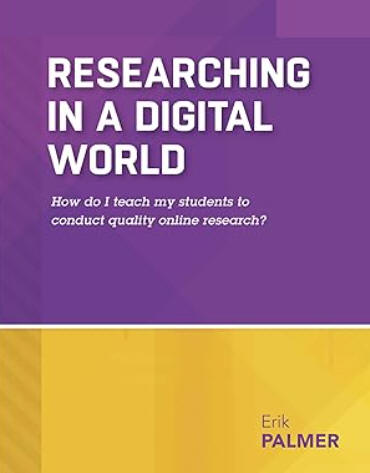 In
Researching in a Digital World: How do I teach my students to conduct quality online research?,
Erik Palmer (2015) presents a step-by-step guide to teach learners at
all grade levels how to conduct more responsible research in an internet
environment.
In
Researching in a Digital World: How do I teach my students to conduct quality online research?,
Erik Palmer (2015) presents a step-by-step guide to teach learners at
all grade levels how to conduct more responsible research in an internet
environment.
Microsoft in collaboration with the International Society for Technology in Education has developed the free e-book, Developing Critical Thinking through Web Research Skills (2010), which contains a ready-to-use curriculum. "Lesson plans include prerequisites, rationale, essential concepts, and descriptions of related National Educational Technology Standards (NETS) and are designed for beginner, intermediate, or advanced levels, aimed at middle school and secondary students." Students learn about the mechanics of searching, validity and reliability, plagiarism, citing web sources, and civil discourse.
 You
and your students can enhance your knowledge about the Internet and the Web with the following:
You
and your students can enhance your knowledge about the Internet and the Web with the following:
HOT! GCF Global: Internet Basics is a set of free, self-paced tutorials. The introductory tutorials explore the basics of the internet, what you can do online, how to get started and understanding the cloud. Learn about browsers, hyperlinks, wi-fi networks, URLs, downloading/uploading, search engines, online safety (including for kids), tips for mobile devices, social media, email, and more. There is a quiz to test understanding.
How does the Internet work? from HowStuffWorks
How does the Internet work? from Mozilla.
Living Internet is an in-depth comprehensive reference about the Internet and its history, the Web, Email, Internet Relay Chat (IRC), Multi-user Dungeons (MUD's), Mailing lists, and Usenet newsgroups.
 Before you begin your Internet research, equip students with
some new online tools to make locating information and conducting research
on the Web a lot easier and more productive. They will appreciate
being able to highlight relevant information on web pages and adding comments
to those just as you would on paper. Storing notes online makes them
accessible from any computer, and enables sharing with others and
collaboration for group work.
Before you begin your Internet research, equip students with
some new online tools to make locating information and conducting research
on the Web a lot easier and more productive. They will appreciate
being able to highlight relevant information on web pages and adding comments
to those just as you would on paper. Storing notes online makes them
accessible from any computer, and enables sharing with others and
collaboration for group work.
Diigo, the "Digest of Internet Information, Groups and Other stuff," is all about social annotation. It includes free and paid options and features “social bookmarking, clippings, in situ annotation, tagging [i.e., keywords for searching], full-text search, easy sharing and interactions.” Users can add highlights and sticky notes on any webpage and designate private notes or public comments.
Scrible is a "research and writing platform for school and work" per its description. It comes with multiple features: save webpages for later, bookmark websites and store files in the cloud; build, organize, search, annotate, and share your own library of articles, and make comments directly on webpages. Free and paid options are available for education.
The search process, Web page navigation, evaluation, and synthesizing information are four challenges Internet users face (Coiro, 2005). Students need to be taught appropriate strategies, particularly for evaluating the information found on a Web page. Not everything online is 100% accurate and bias-free. Teachers can provide such assistance by modeling steps and thinking aloud as they do so. Patricia Deubel, author of CT4ME, would add a fifth step--students also need to learn how to appropriately cite information they find.
Locating information with keywords often involves a Boolean search using AND, OR, NOT, +, or -, for example. When searching for exact phrases, the phrase is enclosed in quotation marks. The University of South Carolina Upstate provides a primer on Boolean Searching on the Internet. Briefly, Boolean logic combines algebra with logic. "AND" is associated with the concept of intersection on Venn diagrams and the word "both." If one searches with "AND" the web pages that come up will contain both terms of the search. On the other hand, "OR" is associated with "union" or putting things together. Searches will find web pages in which either term occurs and more pages will be found. "NOT" excludes subsets from a search. The symbols " +" or " -" when placed before a term within a search phrase mean "must include" and "exclude," respectively. Use a space before the + or - followed by the key term.
HOT! GCF Global: Internet Basics: Using Search Engines also includes a video.
Google Search Education will help all, including teachers and their students, to perform better searches. It has lesson plans to improve search literacy skills, activities to put search skills to the test, and video tutorials from Google's search experts.
Lifewire.com: Boolean Search answers the question: What is a Boolean Search? You'll find multiple resources for web searching.
After selecting a Web page, its navigation becomes important. For previewing a Web page, Julie Coiro (2005, pp. 32-33) at the University of Connecticut suggested that teachers model seven steps accompanied by thinking aloud:
The ACTS Model (Authoritative, Current/Correct, Truthful, Supported) provides a good rule of thumb for selecting quality online resources (or more traditional print-based resources), be they web sites or literature appropriate for writing articles. Mark Rossman (2002) elaborated on this model, primarily in terms of evaluating literature:
Another acronym to help remember how to evaluate online resources is the CRAAP test, developed by the Meriam Library at the California State University, Chico. It contains a list of questions for each of the five criteria: Currency, Relevance, Authority, Accuracy, and Purpose. Bow Valley College in Canada also elaborates on the CRAAP test and provides a chart with key questions to ask and tips for addressing each element of this test when evaluating websites and other information sources. Project Look Sharp at Ithaca College has a series of media literacy handouts with key questions for media analysis, including a handout written for early childhood.
Students might also find out who else is linking to the site, as some sites are bogus. Entering LINK: [web address] in a search engine such as Google will reveal this list. Try entering the search phrase "bogus Web sites" to demonstrate to students examples of such sites, some of which look quite professional.
Evaluating Resources from UC Berkeley Teaching Library will help you learn more about evaluating any kind of source for its authority, purpose, publication and format, relevance, date of publication, and documentation.
HOT: Hoax or No Hoax? Strategies for Online Comprehension and Evaluation is a lesson plan with four 60-minute sessions by Dr. Deborah Kozdras and James Welsh designed to help high-school learners to better read online for comprehension. They stated: "Research has shown that online reading requires not only traditional comprehension strategies, but also new digital- and media-literacy strategies. In this lesson, students learn how to use these comprehension strategies involving a sequence of planning, predicting, monitoring, and evaluating. Once students learn the strategies, they read a variety of hoax websites and evaluate the content. They then demonstrate their learning through the creation of outlines for hoax websites." The series is hosted by ReadWriteThink.org.
S.O.S. for Information Literacy is a multimedia web-based resource with peer-reviewed lesson plans, handouts, presentations, videos, and other resources for teaching information literacy in K-16, which includes the skills help learners to locate, organize, evaluate, manage, and use information.
Alan November's Web Literacy resources, include a quiz to determine how much you know about searching for and evaluating sites, suggestions of Web sites to help students learn to validate, how to read a URL, and how to find a site's publisher and history, and how to check for external links.
Finally, synthesizing information is difficult to teach students. Coiro (2005) suggested creating a Word document template for students to use in which they write their research question, then actually copy and paste the URL and relevant text from each source into this organizer. Then students summarize that content in their own words, and provide a personal connection of how the information or new fact relates to other information they have found on the topic and how the information on each new idea changes their thinking. Students might jot down other questions as they reflect. Next they write their synthesis, which considers points from their sources. Coiro stated, "A good synthesis weaves together at least two of their personal impressions with at least two facts learned from their reading" (p. 35).
Note that students can now avoid using a copy and paste technique from Internet resources to a research project. If they use Web 2.0 tools noted above, their highlighted text and those same notes that they might have put in a Word document can be created and stored online rather than on the desktop computer.
Students need to learn appropriate methods for citing the information they have directly quoted, summarized, or paraphrased from others. Common methods include MLA, APA, Turabian, and Chicago. Sites that generate citations are available to help writers put references in appropriate format.
Crediting ideas from others is part of academic integrity. Teachers might also discuss plagiarism with their students, as sometimes students don't realize they are plagiarizing. See Dr. Patricia Deubel's publication, available at CT4ME: Plagiarism: Prevention is the Name of the Game.
 URLs come and go. Don't panic yet if you can't find that great online
resource from a lesson you want to use again. The Way Back Machine (https://archive.org/)
archives Internet web pages as they appeared on specific days. It's worth a look to see if your lesson can be
salvaged. Tip: Don't wait until the day of the lesson to
discover URLs don't work or pages can't be displayed.
URLs come and go. Don't panic yet if you can't find that great online
resource from a lesson you want to use again. The Way Back Machine (https://archive.org/)
archives Internet web pages as they appeared on specific days. It's worth a look to see if your lesson can be
salvaged. Tip: Don't wait until the day of the lesson to
discover URLs don't work or pages can't be displayed.
The latest edition of the rules of APA Style, detailed in
the Publication Manual of the American Psychological Association, is
the Seventh Edition, released October 2019. As you use APA resources listed below, be
sure to verify that the new rules are being used. Find updates at APA Style.
 APA Formatting and Style Guide from the OWL at Purdue
University includes multiple examples.
APA Formatting and Style Guide from the OWL at Purdue
University includes multiple examples.
APA Citation help and examples from Owens Library of Northwest Missouri State University.
APA Style includes valuable style and grammar guidelines and instructional aids. Users will value the Concise Guide to APA Style 7th Edition and the tutorial Introducing the Basics of Seventh Edition APA Style. APA Style also includes How to Cite ChatGPT.
Common Sense Smart Online Search Tips for kids is a short video (2:31 minutes).
Evaluating Information from Johns Hopkins University will help you evaluate internet resources, social media, and propaganda and misinformation.
Fact, Fiction, or Opinion? Evaluating Online Information from Education World contains the how to's suggested in the title.
Google's Search Education is designed to help learners become better searchers. There are lesson plans and several webinars (live trainings) for improving search skills.
NoodleTools, a subscription-based suite of interactive tools designed to aid students and professionals with their online research, will help you select a search engine, find some relevant sources, and cite those sources in MLA or APA style.
Online Writing Lab (OWL) at Purdue University offers advice in how to avoid plagiarism in your work. Writing resources are extensive, including APA and MLA citation methodologies.
Plagiarism.org contains resources for preventing plagiarism and guidelines for correctly citing information.
21st Century Information Fluency began in 2001 at the Illinois Mathematics and Science Academy. Its mission is to provide "professional development and resources to help educators and students improve their ability to locate, evaluate and use digital information more effectively, efficiently and ethically."
 Reminder: Be sure
students understand what citation generators can and cannot do. The
Online Writing Lab (OWL) at Purdue University includes information on
how citation generators work and how to use them wisely.
Reminder: Be sure
students understand what citation generators can and cannot do. The
Online Writing Lab (OWL) at Purdue University includes information on
how citation generators work and how to use them wisely.
Citefast is a free citation generator for APA (version 7 is included), MLA, and Chicago styles.
Cite This For Me includes citation generators in several styles: APA, MLA, Harvard, Chicago, and more. You can also create bibliographies.
EasyBib is a citation and writing resource for creating bibliographies in APA, MLA, Chicago, and other styles. It also contains notetaking and research tools for students.
KnightCite, a project at Calvin College: APA, MLA, and Chicago styles can be generated. Rules are included to help enter data.
Scribbr Citation Generator for APA, MLA, Chicago, and Harvard citations.
21st Century Information Fluency has online citation wizards for CSE (scientific style), MLA, and APA.

HOT News! Google Search can now be used to get help with math, science, and visual learning. This new search capability, powered by AI, provides step-by-step explanations and solutions for math problems, even trigonometry and calculus, and science word problems. You can get 3D interactive diagrams to explore STEM concepts visually. Just type your equation or integral into the Search bar, or enter the phrase "math solver." The feature is also available on Google Lens where you can also take a picture of your problem. Read Google's news reported on October 30, 2023: More help with math and science problems in Search.
Reminder: Before releasing your students to search on the Web, you might begin by reading
Kids Search Engine - Internet Filtering at SafeSearchKids.com.
This article addresses concerns parents or teachers might have about kids
and search engines and parental control software.
Awesome Library for Kids (also in several languages)
Choosito is a search engine and digital library funded by the National Science Foundation. Resources can be filted by subject area, reading level. The basic account is free. A paid subscription includes features such as student accounts, class analytics, citation tools, and more.
DKfindout.com is a free research resource, primarily with content for elementary grades. As the title suggests, learners can "find out" a great deal of information in curriculum areas such as: animals and nature, dinosaurs and prehistoric life, the earth, English, history, math, the human body; art, music, and literature; science, space. Teachers can also create lesson plans.
Kiddle is a safe visual search engine for kids. Find web, image, news, and video resources.
KidRex safe search for kids is provided for free by Alarms.org.
Kidtopia.info for elementary grades includes only websites recommended by teachers, librarians, and educational consortia, organized within nine main catergories.
Kidzsearch powered by Google SafeSearch
Safe Search Kids blocks adult content from results of searches--Safe Search is always ON. You have the option to also make the site the home page on devices children use or bookmark it for them to use when searching.
SweetSearch is a search engine for students, which has over 35,000 websites evaluated and approved by its staff. It is a product of Dulcinea Media.
Britannica School is "a safe, up-to-date and age-appropriate information resource for Elementary, Middle and High School."
Explora for K-12, provided by EBSCO, is a dedicated search interface for schools and libraries.
Gale In Context: Elementary (formerly Kids InfoBits) includes content for grades K-5.
Infobase contains a series of subject-specific databases for middle school and up.
PebbleGo content from Capstone Publishing is for K-2.
 Ask.com Ask a question and get an
answer. Search by topic in twenty categories from arts and
literature, to math, and world view.
Ask.com Ask a question and get an
answer. Search by topic in twenty categories from arts and
literature, to math, and world view.
Google Scholar will help you find "peer-reviewed papers, theses, books, abstracts and articles, from academic publishers, professional societies, preprint repositories, universities and other scholarly organizations." Erik Ofgang (2023) provided 6 Google Scholar Tips From Its Co-Creator to help users get the most out of this resource.
Gooru features Navigator for free for independent students and instructors. The site includes The Learning Navigator, which "provides a free and open catalog with access to millions of resources from a variety of content publishers, thousands of learning collections and assessments curated by teachers, and over 50 free, teacher-curated courses." You'll find multiple subjects areas. Math is extensive for math fundamentals, algebra, geometry, algebra II, precalculus, and statistics. See Gooru's Learning Object Repository.
Library of Congress includes "over 20 million catalog records for books, serials, manuscripts, maps, music, recordings, images, and electronic resources in the Library of Congress collections" (Library Catalog section). Digital collections can be searched (e.g., by topic and format). "The Library of Congress offers classroom materials and professional development to help teachers effectively use primary sources from the Library's vast digital collections in their teaching" (Teacher section).
OAIster began in 2002 as a project of the University of Michigan Digital Library Production Service. It contains "a collection of freely available, previously difficult-to-access, academically-oriented digital resources that are easily searchable by anyone." Find the pearls: books, journals, images, audio files, video files, and more. "OAIster has since grown to become one of the largest aggregations of records pointing to open access collections in the world" (History of OAlster section).
OER Commons is a public digital library of open education resources. It is searchable by subject, standard, education level, and user query.
Search.com is a metasearch engine, which means it searches several search engines at once, such as Google, Bing, DMOZ, Blekko.
Wolfram Alpha Enter a question requiring a factual answer or calculation, including one in which graphing is involved, and Wolfram Alpha uses its built-in algorithms and a growing collection of data to compute the answer. This resource, driven by AI, can be used by anyone, including K-20 learners, educators in the classroom, other professionals, and beyond. Multiple topics are included: math, engineering, physics, places and geography, dates and times, money and finance, units and measures, chemistry, health and medicine, foods and nutrition, colors, music, and much more. This is not a search engine, but Wolfram Alpha has sidebar links for doing web searches. This is an emerging technology that will continue to grow.
Back to top | Part 2: Technology Integration Resources: Page 1 | 2 | 3 | 4
Andrade, D. (2023, January 17). 10 tech skills every student should have. Tech & Learning. https://www.techlearning.com/david-andrade/3750
Coiro, J. (2005, October). Making sense of online text. Educational Leadership, 63(2), 30-35. https://www.ascd.org/el/articles/making-sense-of-online-text
Poole, B. (2006). What every teacher should know about technology. Education World. https://www.educationworld.com/a_tech/tech/tech227.shtml
Rossman, M. H. (2002). Negotiating graduate school: A guide for graduate students (2nd ed.). Thousand Oaks, CA: Sage.
 See other Technology Integration pages:
Part 2: Technology Integration Resources: Page 1 | 2 | 3 | 4
Part 1: Essential Questions | Part 3: Web Page Design | Part 4: Multimedia in Projects
 Comments? Are you finding resources at CT4ME of value?
Send us your favorite math resources and tips for success.
Contact Dr. Patricia Deubel: pdeubel@ct4me.net
To cite this page, use the following format:
Deubel, P. (year from last revised). Technology integration resources: Building internet, search, and citation skills. Computing Technology for Math Excellence. Retrieved Month, Day, Year, from https://www.ct4me.net/technology_integration_resources_2.htm
CT4ME Author: Dr. Patricia Deubel
Copyright © 2001-2024 [CT4ME.net]. All rights reserved.