Math Topics
Learning Support
Professional



Project-based learning is a terrific way to link your curriculum with real world events and applications of concepts that your students are learning. There are two pages in this section to help you and your learners.
 Project Based Learning (Page 1 of 2): An essay
Projects on the Web (Page 2 of 2): Our list of project sites
Also see Technology Integration Resources for Multimedia in Projects, a three part collection with an essay on multimedia and resources for their use.
Benefits
Recent trends in K-12 education include active learning, blended learning, and project-based learning. Projects help students personalize their learning and are ideal for gaining key knowledge and understanding of content and answering the question: Where am I ever going to use this? When project-based learning (PBL) is introduced into classrooms, "Teachers and schools can make use of externally developed PBL curricula, they can develop their own PBL approaches, or PBL can be part of a whole-school reform effort" (Condliffe, Quint, Visher, Bangser, Drohojowska, Saco, & Nelson, 2017, p. iii).
Among the greatest benefits of project-based learning (PBL) are gains in students' critical-thinking skills and development of their interpersonal and intrapersonal skills. PBL is also an ideal way to help learners gain speaking and presentation skills. PBL in mathematics, particularly when completed in teams, helps learners "model with mathematics" as they "apply the mathematics they know to solve problems arising in everyday life, society, and the workplace," "use tools strategically," and "construct viable arguments and critique the reasoning of others," as noted in the Common Core Standards (2010) for Mathematical Practice.
Concerns
Implementation is not without concerns. As Condliffe and colleagues (2017) noted, math teachers have found it difficult to implement PBL. In general:
It requires that teachers modify their roles (from directors to facilitators of learning) and that they tolerate not only ambiguity but also more noise and movement in the classroom. Teachers must adopt new classroom management skills and learn how best to support their students in learning, using technology when appropriate. And they must believe that their students are fully capable of learning through this approach. Given these challenges, professional development — both initial training and continuing support — is likely to be essential to the successful implementation of PBL." (p. iii)
Additionally, a major shortcoming in many student projects is that educators tend to assign projects just for the sake of doing them (Goodwin, 2010). As Bryan Goodwin found in his literature review on PBL, "Educators can avoid this phenomenon and realize the potential of projects to promote students' critical-thinking by framing projects around a driving question" (2010, p. 81).
Components of PBL
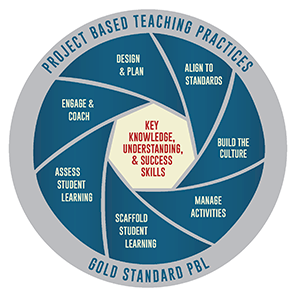 A
challenging open-ended driving question or problem is just one of
the essential elements of meaningful projects, according to John Larmer and John R.
Mergendoller (2010) of BIE. They updated
their PBL model in 2014 to what they called a "gold standard" (See their 2015
blog post on why),
and the
Gold Standard PBL: Project Based Teaching Practices (Larmer, 2015), which is also the source for the image on PBL).
A
challenging open-ended driving question or problem is just one of
the essential elements of meaningful projects, according to John Larmer and John R.
Mergendoller (2010) of BIE. They updated
their PBL model in 2014 to what they called a "gold standard" (See their 2015
blog post on why),
and the
Gold Standard PBL: Project Based Teaching Practices (Larmer, 2015), which is also the source for the image on PBL).
The Gold Standard PBL: Essential Project Design Elements include:
Every good project should be tied to standards so that students gain key knowledge and understanding. Four key areas serve as indicators that PBL is grounded in standards:
Gorman (2019) noted having a teacher first deliver content and then having a follow-up project is not truly PBL. "In true Project Based Learning the project uncovers and facilitates the learning of significant content. ... PBL provides the rigor of learning new content along with the engagement apparent in a student-centered program based on deeper learning. The content becomes the “what” while PBL is the “how” " (para. 5).
Students need to perceive the work as meaningful to them. A clear connection to an entry event adding this meaning might be via almost anything: "a video, a lively discussion, a guest speaker, a field trip, or a piece of mock correspondence that sets up a scenario" (Larmer & Mergendoller, 2010, p. 35). Students need a voice and choice in fulfilling project requirements, keeping in mind that limited choices be considered and that "teachers should design projects with the extent of student choice that fits their own style and students" (2010, p. 36). Projects should give students opportunities to build 21st century skills (or success skills) and to use technology that will be useful to them in life and the workplace. Projects should enable learners to conduct real inquiry. This has to do with authenticity or how real-world a project is. With "real inquiry comes innovation--a new answer to a driving question, a new product, or an individually generated solution to a problem" (2010, p. 37).
Learners should receive feedback to use in revision, as learning that real-world work often involves revision. Outside experts or mentors can also provide input (Larmer & Mergendoller, 2010). Teachers should not be the only ones to provide this feedback. Peer-editing sessions with the aid of appropriate rubrics or checklists can be useful for students to present their rough drafts to each other (Pahomov, 2014).
 Students should publicly present their work,
as they will be more motivated to produce a quality product when knowing a real
audience will view it (Larmer & Mergendoller, 2015, 2010). As Larissa Pahomov (2014) pointed out
in Authentic Learning in the Digital Age, "Why should
students put so much effort into a product that is only going to be
viewed by one person?" -- the teacher (p. 92). Although there
might be live presentations to share projects, "they should also be
designed to stand on their own, after the formal presentation has ended"
(p. 87). A venue for presenting completed projects might be "as
simple a setting up a gallery in the hallway or a landing page for links
to projects" (p. 92). A blog or wiki is ideal for posting online
presentations, which elevates projects beyond the school walls.
"What makes this process meaningful, however, is when students have been
creating their project with a particular audience in mind and then they
target that audience once the content has been posted" (p. 98).
Projects might be entered into contests and competitions, or presented
to real-world professionals for feedback.
Students should publicly present their work,
as they will be more motivated to produce a quality product when knowing a real
audience will view it (Larmer & Mergendoller, 2015, 2010). As Larissa Pahomov (2014) pointed out
in Authentic Learning in the Digital Age, "Why should
students put so much effort into a product that is only going to be
viewed by one person?" -- the teacher (p. 92). Although there
might be live presentations to share projects, "they should also be
designed to stand on their own, after the formal presentation has ended"
(p. 87). A venue for presenting completed projects might be "as
simple a setting up a gallery in the hallway or a landing page for links
to projects" (p. 92). A blog or wiki is ideal for posting online
presentations, which elevates projects beyond the school walls.
"What makes this process meaningful, however, is when students have been
creating their project with a particular audience in mind and then they
target that audience once the content has been posted" (p. 98).
Projects might be entered into contests and competitions, or presented
to real-world professionals for feedback.
If projects involve teamwork, educators will need to emphasize commitment to the team as an essential component for success of group work. Larmer (2014) noted that this may not automatically emerge, but a "sense of responsibility to their peers can be one of the most powerful motivating factors for students working on a project in teams" (p. 45). To help support teamwork, teachers might consider "constructing list of norms or a rubric with students; having students write contracts for how they will work together; providing them with tools, such as task planners and online collaboration platforms; and teaching them how to resolve conflicts and make decisions. During a project, have team members frequently check in with one another—and the teacher—to be sure things are going smoothly" (p. 45).
Finally, projects should include the element of reflection. Per Larmer and Mergendoller (2015), "students should reflect on what they’re learning, how they’re learning, and what they have accomplished in a project" (Two new elements section). Self-Reflection on Project Work from BIE's PBLWorks is one such template.
With the above being said, Volker Ulm (2011) offered teachers some sound advice regarding math project-based learning:
Enriching classroom teaching with projects is certainly the most challenging, but at the same time the most beneficial form of independent learning. It is challenging because it requires high-level skills on the part of the students, e.g. skills in applying methods, self-management, and social competence. So project-based learning should never degenerate into a teacher-centered training course where ultimately the teacher still does all the planning, structuring and organizing, prepares and procures all the materials, or even produces and presents the results. (p. 44)
 Numerous documents have referred to the need for this or that
activity to build 21st century skills needed for career and
college readiness. However, what does that mean stated in
terms that everyone can easily remember?
Numerous documents have referred to the need for this or that
activity to build 21st century skills needed for career and
college readiness. However, what does that mean stated in
terms that everyone can easily remember?
The National Research Council (2012, p. 2) suggested three broad domains as a way in which to organize competencies--such skills and abilities: cognitive, intrapersonal, and interpersonal. They are intertwined based on human development and learning, however.
While one might elaborate on specific skills or competencies within each, those domains are easy to remember. Briefly:
What might not surprise readers, however, is that "Precise definitions of the many terms used for “21st century skills” are not possible at this time, in part because there is little research to support such definitions" (p. 2).
Thus, projects should result from students' attempts to answer essential questions. They can take many forms: products, presentations, performances. They might fit any of three structures: interpersonal, information sharing, or problem-solving. When selecting an existing project, or creating one of your own, consider the following. In terms of math projects:
Is the project devoted only to mathematics (or a single subject area), or is there a link to other curricular areas?
Is the project tied to standards for the curricular areas addressed, such as those from the National Council of Teachers of Mathematics, the Common Core Standards, or the National Education Technology Standards?
Does the project come with classroom instructional materials (e.g., teacher resources, student activities, rubrics and assessment tools)?
Can all students in your class participate? Projects should not be reserved for your talented and gifted students, as all students should be able to benefit.
What is the total time for project completion?
Is the project collaborative in nature? A collaborative project, particularly involving students outside your own school setting, will take more time and monitoring to help students learn how to be a part of a team and communicate appropriately with others.
How will students benefit both academically and personally from their involvement in the project? Consider that when students interact with other students and experts across the country or internationally, they get a broader feel for diversity. Their participation in an actual real world activity might encourage them to do their best work, and see the relevance of mathematics in their daily lives. If students have input into project selection, and like the topic, they will tend to become more involved and excited about their learning.
Is there a cost involved to participate?
 If you decide to engage in a project of significance to your
learners, parents would appreciate knowing about it. Consider
sending parents a letter to explain PBL, the nature of the project, how
learners will be assessed, and what they can do to help. BIE's
PBLWorks has a
Template for
a Letter to Parents.
If you decide to engage in a project of significance to your
learners, parents would appreciate knowing about it. Consider
sending parents a letter to explain PBL, the nature of the project, how
learners will be assessed, and what they can do to help. BIE's
PBLWorks has a
Template for
a Letter to Parents.
Help learners reach project milestones by recording oral feedback along the way using tools such as ScreenPal. ScreenPal (formerly Screencast-o-Matic) provides free screen capture recording for Windows, Mac, iPad, iPhone, Android, and Chromebook.
 Adding to the above, educators need to decide on what they mean by project-based
learning (PBL) and which model is needed. In
World Class Learners: Educating Creative and Entrepreneurial Students, Yong Zhao
(2012) noted three forms of PBL, according to J. Robinson (2013): an academic model, a mixed model, and an
entrepreneurial model.
Adding to the above, educators need to decide on what they mean by project-based
learning (PBL) and which model is needed. In
World Class Learners: Educating Creative and Entrepreneurial Students, Yong Zhao
(2012) noted three forms of PBL, according to J. Robinson (2013): an academic model, a mixed model, and an
entrepreneurial model.
Michael Stone (Schwartz, 2016) provided the following tips for success to guide the methodology.
As projects should be ongoing, Gorman (2019) suggested that proper scaffolding within a PBL unit "includes both learning activities and effective ongoing assessment. In fact, some of these activities might actually be existing lessons that a teacher has always used. It is even possible and probable that part of the scaffold will include readings, lectures, and even a worksheet, although it is important to keep a balance using all of Bloom’s levels. While assessment is varied, there is nothing wrong with including a summative test" (para. 5).
In order to tie projects to math standards, Andrew Miller (2011) suggested that teachers need to pick or make an appropriate time for projects (e.g., during a three-week unit on a specific math learning target). Pick a standard with an easy real-life application.
These resources are for those who need to know more before engaging in projects and inquiry-based learning.
Designing Learning is a section within the Galileo Educational Network Association, which includes a series on the nature of inquiry-based learning. Learn about what inquiry is all about, choosing a topic, essential questions, inquiry and assessment, and then go to the section for Classroom Examples of projects for elementary, middle, and secondary students and a rubric for assessing inquiry projects.
Framework for High Quality Project Based Learning (2018) "describes PBL in terms of the student experience." The Buck Institute for Education facilitated the development of the framework with support from Project Management Institute Educational Foundation and the William and Flora Hewlett Foundation (About section). Key elements of the PBL framework include intellectual challenge and accomplishment, authenticity, creating a public product, collaboration, project management, and reflection.
Performance Tasks or Projects? Complementary Approaches for Student Engagement: In this article, authors Jay McTighe and John Larmer (2022, June 8) note that performance tasks and projects are not identical. They provide "Eight key dimensions [that] can help underscore the differences and similarities between performance tasks and projects, so educators know how to use each of them appropriately."
PBL-Online has all the resources you need to design and manage high quality projects for middle and high school students. You can learn how to design your own project, what project based learning is all about, search for projects developed by others or contribute your own, review research on PBL, and access other web resources on the topic. PBL-Online was created under the leadership of the Buck Institute of Education, with major contributions from the George Lucas Foundation and others.
PBLWorks from the Buck Institute for Education (BIE) has an overview of project based learning (PBL), plus numerous resources for conducting PBL. Educators desiring to implement PBL will benefit from the following books.
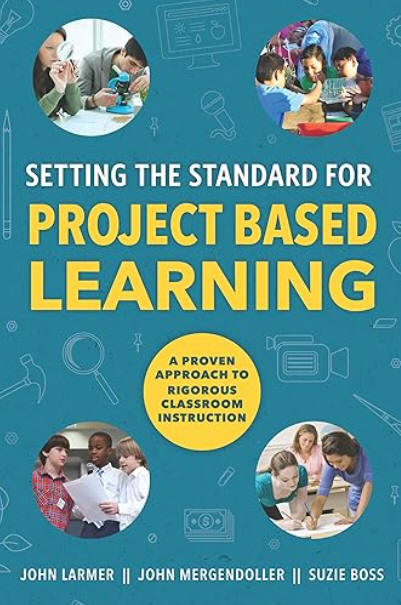 Setting the Standard for Project Based Learning
(2015) is by John Larmer, John Mergendoller, and Suzie Boss of the BIE. They provided the step-by-step method to create, implement, and
assess PBL in classrooms, systemwide, and in informal settings. Sample
projects in various grade levels and subject areas are included.
Setting the Standard for Project Based Learning
(2015) is by John Larmer, John Mergendoller, and Suzie Boss of the BIE. They provided the step-by-step method to create, implement, and
assess PBL in classrooms, systemwide, and in informal settings. Sample
projects in various grade levels and subject areas are included.
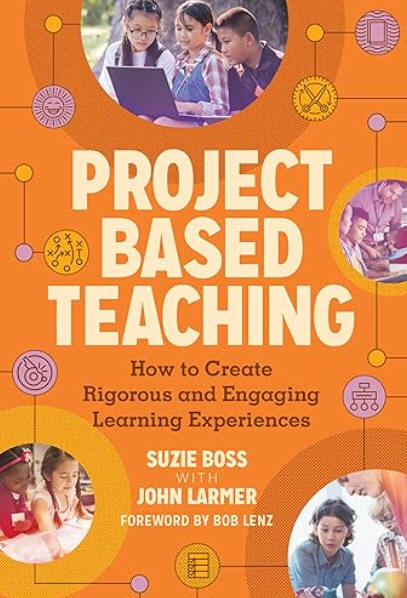 In Project Based Teaching: How to Create
Rigorous and Engaging Learning Experiences,
Suzie Boss and John Larmer (2018) further elaborated on the
gold-standard for PBL and the seven practices integral to project
based teaching.
In Project Based Teaching: How to Create
Rigorous and Engaging Learning Experiences,
Suzie Boss and John Larmer (2018) further elaborated on the
gold-standard for PBL and the seven practices integral to project
based teaching.
Project Approach to Teaching and Learning in school addresses the foundation theory for using projects, strategic planning, and project development structure. This is an award winning site by Sylvia Chard of the University of Alberta, Canada. You might also be interested in her article, Sylvia Chard: Project Learning, posted on Edutopia, an initiative of the George Lucas Educational Foundation.
HOT: Project-Based Learning: A Resource for Instructors and Program Coordinators from the National Academy Foundation and Pearson Foundation provides comprehensive coverage on this topic. You'll find a definition of PBL, questions to consider for when to use PBL, conditions and research supporting PBL, PBL examples and links to resources and training. Commentary on PBL includes: "The best projects skillfully weave together opportunities for students to engage in classroom activities (Level 1) that address content standards (Level 2) while encouraging them to develop habits of mind (Level 3) and the ability to take responsibility of their own learning (Level 4)" (p. 12). The 6 A's of PBL are addressed: Authenticity, Academic Rigor, Adult Connections, Active Exploration, Applied Learning, and Assessment Practices. Finally, within Project Delivery you'll learn about the scaffolding that teachers must consider when implementing sophisticated projects in their classrooms.
Project-Based Learning Professional Development Guide at Edutopia.org from the George Lucas Educational Foundation can be used as a two- to three- hour learning module, or expanded to day-long workshops. Find out what project based learning is, why it is important, how it works, and get some supporting resources. Also see Edutopia's Project-Based Learning section.
Project Based Learning explained by Common Craft is a short video with an easy explanation of PBL.
 Project Based Learning for All: A
Leader's Guide by Bob Lenz and Lisa Mireles (2025) begins with
"detailed frameworks and research evidence to support the use of PBL in
schools." Then, per its description, "the book takes leaders
step-by-step through the process of crafting a vision for widespread
PBL, developing a supportive culture for its adoption, designing the
infrastructure to make it possible, and building capacity in teachers
and staff to effectively lead and assess PBL with students of all ages."
Project Based Learning for All: A
Leader's Guide by Bob Lenz and Lisa Mireles (2025) begins with
"detailed frameworks and research evidence to support the use of PBL in
schools." Then, per its description, "the book takes leaders
step-by-step through the process of crafting a vision for widespread
PBL, developing a supportive culture for its adoption, designing the
infrastructure to make it possible, and building capacity in teachers
and staff to effectively lead and assess PBL with students of all ages."
The Comprehensive Guide to Project-Based Learning: Empowering Student Choice through an Effective Teaching Method from New Tech Network provides an in-depth overview of this method.
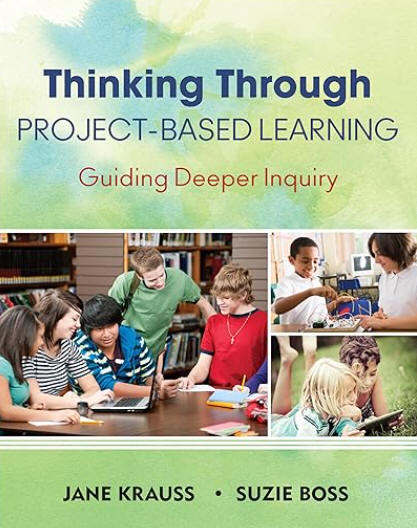 Thinking Through Project-Based Learning: Guiding Deeper Inquiry
by Jane Krauss and Suzie Boss (2013) provides an overview of PBL, and
includes findings on brain development and
connections to Common Core Standards; numerous how-tos and sample projects
for K-12; strategies for integrating PBL into main subject areas, across
disciplines (science, social studies, language arts, math), and with
technology and social media; ideas to involve the community and showcasing
student work.
Thinking Through Project-Based Learning: Guiding Deeper Inquiry
by Jane Krauss and Suzie Boss (2013) provides an overview of PBL, and
includes findings on brain development and
connections to Common Core Standards; numerous how-tos and sample projects
for K-12; strategies for integrating PBL into main subject areas, across
disciplines (science, social studies, language arts, math), and with
technology and social media; ideas to involve the community and showcasing
student work.
Yetkiner, Z. E., Anderoglu, H., & Capraro, R. M. (2008). Research
summary: Project-based learning in middle grades mathematics.
https://my.pblworks.org/resource/document/pbl_in_middle_grades_mathematics
Also
available at
https://www.amle.org/wp-content/uploads/2021/01/ProjectBased_Math.pdf
Books
|
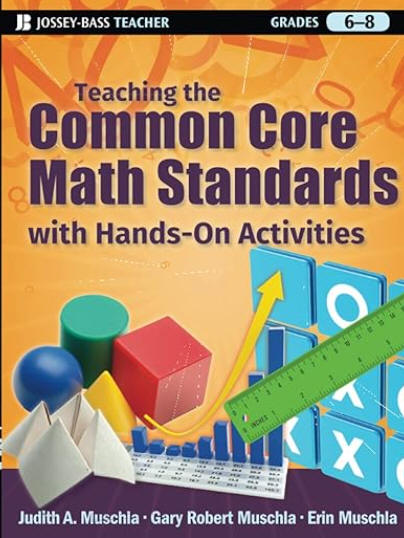
Teaching the Common Core Math Standards with Hands-On Activities, Grades 6-8 by Judith, Gary, and Erin Muschla (2012) has over 100 activities correlated to the CCSS math standards. Also see Teaching the Common Core Math Standards with Hands-On Activities, Grades 3-5 by Judith, Gary, and Erin Muschla (2014). Teaching the Common Core Math Standards with Hands-On Activities, Grades 9-12 by Gary Muschla (2015) |
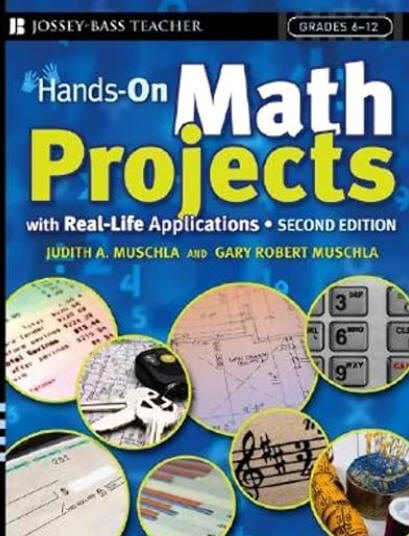
Hands-On Math Projects With Real-Life Applications: Grades 6-12 by Judith and Gary Muschla (2006) contains 60 math projects. Also see Hands-On Math Projects With Real-Life Applications: Grades 3-5 by Judith and Gary Muschla (2009). |
|
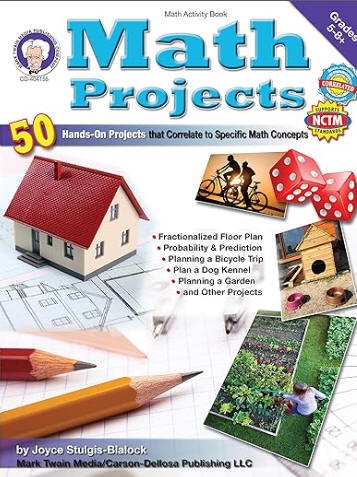
Math Projects: 50 Hands-On Projects that Correlate to Specific Math Concepts, Grades 5 and up (2011) by Joyce Stulgis-Blalock is aligned to Common Core and NCTM standards. |
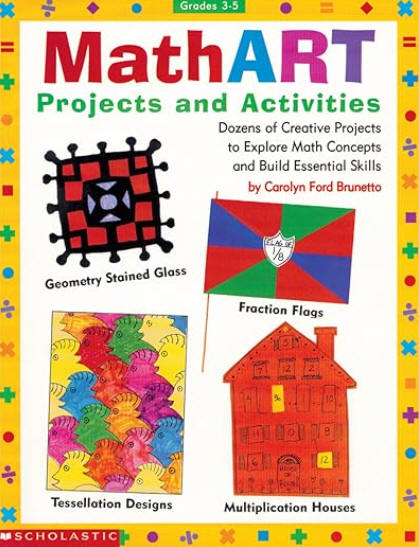
MathART Projects and Activities (Grades 3-5) by Carolyn Brunetto contains dozens of projects within standards for geometry, number & computation, measurement, patterns, statistics, fractions. You can also find them by season and holiday. |
|
|
|
Tony Frontier (2021) provided the following valuable insights about projects if you decide to design your own.
"Designing projects that allow students to be engaged and demonstrate evidence of the most important skills and understanding from a unit of study requires alignment among three elements:
- The prioritized standard or learning goal.
- Standards-aligned success criteria.
- Observable, standards-based evidence from the project that can be described using the most important success criteria." (Three Key Elements section)
At step 2, "Focus on the verbs in the standards such as compare, analyze, describe, design, evaluate, and justify." Further, "Ensure success criteria focus on the most important, transferable elements of the standards." (Potential of Projects section)
Frontier (2021) also pointed out some perils of projects to be aware of.
The point of this last question is why have students do the project if it does not relate to what should have been learned from that unit, such as the concepts, skills, and vocabulary (Frontier, 2021).
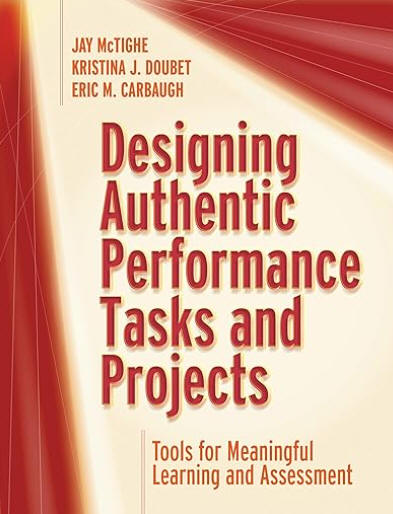 In
Designing Authentic Performance Tasks and Projects: Tools for Meaningful Learning and Assessment,
authors Jay McTighe, Kristina Doubet, and Eric Carbauch (2020) offer proven
tools and templates for designing performance tasks and projects for all
grade levels and subject areas so that they address academic standards and
21st century skills. ASCD has a
webinar associated with this book. McTighe provided a four-page
handout at his website taken from the book with
Technology Tools for Performance Tasks and Projects.
In
Designing Authentic Performance Tasks and Projects: Tools for Meaningful Learning and Assessment,
authors Jay McTighe, Kristina Doubet, and Eric Carbauch (2020) offer proven
tools and templates for designing performance tasks and projects for all
grade levels and subject areas so that they address academic standards and
21st century skills. ASCD has a
webinar associated with this book. McTighe provided a four-page
handout at his website taken from the book with
Technology Tools for Performance Tasks and Projects.
If you are planning your own project, CT4ME provides an essay on project development phases and tips at our page Technology Integration: Multimedia in Projects: About Multimedia and Project Development.
Project Pals includes free ebooks among its resources, such as PBL 101: A Beginner's Guide to Project-Based Learning.
Beyond Google ...If you decide to allow your learners to design their own projects in which they will need to use internet resources, read Patricia Deubel's article, Conducting Research-based Projects in Elementary Grades with Safety in Mind, published July 26, 2017 in THE Journal.
Volker Ulm (2011) had several ideas for potential math projects. Selection, of course, depends on the skills of your learners for meaningful project-based learning:
Use the following to get other ideas:
Applied Math Science Fair Projects posted at Education.com included illustrative images of projects and is searchable by grade level. You can then download the project.
Math Project Ideas: Examples of Project-Based Learning, posted by EdTecher Heidi Reina at HubPages, includes an extensive collection of engaging projects for all grade levels from general math to money and finance, algebra, geometry, pre-calculus, calculus. Many have cross-curricular connections.
Origami Resource Center includes project ideas and resources on this topic. It's easy to connect origami, the art of paper folding, to math and geometry, in particular. If you think the idea is just for elementary students, view The Origami Revolution: Math and Science Revolutionize an Ancient Tradition, which is part of the NOVA collection. There are three videos in which viewers "Discover parallels between the natural world and origami—the Japanese art of paper folding—and witness how artists, mathematicians, and scientists are pioneering complex new designs."
PBLWorks from the Buck Institute for Education includes a database of projects in multiple subjects, including for math. You can search by subject area, grade level, standards including the Common Core. Additional resources include articles, blogs, videos, planning tools, rubrics, and student handouts.
Project Ideas for Mathematics and Project Examples, Resources, and Websites are from the American Federation of Teachers.

Use Desmos to have learners connect math to art. Create equations associated with your drawing, add color and so on. Art can range from simple to complex, depending on your math skills.
See the many image examples on the web with a search phrase such as "demos art with equations."
Get some how-to's with the following:
Desmos Art Tutorials on YouTube.
Desmos Art: The Definitive Guide to Computational Sketching at Math Vault.
There are multiple tools in a variety of categories on the Web for project-bbooased learning activities. Certainly, to help them get started, learners will benefit from a list of resources that you anticipate they will need. Deal (2009) included specific examples within categories such as collaboration suites, course management systems, dedicated project management tools, wikis, web-conferencing tools for real-time communications, collaborative concept mapping tools, presentation and slide sharing tools, online collaborative writing tools, and task management tools. The choice would depend on the objectives of the assignment and whether or not the project is to be completed by individual learners or collaboratively within groups.
In addition consider:
Bubble.us is a free web application that allows groups to brainstorm online and create mind maps. You can embed the map in a blog or website, or save the mind map as an image. This is a great way to start projects.
Infographics templates--15 free templates from Hubspot.com, including how to make an infographic.
Kathy Schrock's Blog includes Web and AI Online Tools for Creating with an extensive collection of resources for teaching, learning, and creating media.
Makey Makey--an invention kit. "Turn everyday objects into touchpads and combine them with the internet."
Scratch--a programming language for kids (ages 8 to 16) to create stories, games, and animations, which was developed by MIT. It is free. Note: Members of the ScratchEd research team at the Harvard Graduate School of Education developed a free guide, Creative Computing: An Introductory Computing Curriculum for Scratch. The version for educators includes plans, activities, and strategies for using Scratch and the workbook version for learners has activities and reflection question templates.
Tynker helps learners ages 5-18 to learn how to program. It promotes itself as "an online platform that easily and successfully teaches students how to code through the activities they already love: games and stories. Students learn the fundamentals of programming and design through Tynker's intuitive visual programming language without the frustrations of traditional syntax" (FAQ section: What is Tynker?). School pricing is also available.
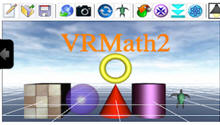 VRMath 2.0
allows users to create virtual worlds and artifacts. It "utilises
3D technologies and powerful Web 2.0 ideas for teaching and learning
mathematics particularly in geometry. The simple aim of this VRMath 2.0
application is to utilise affordable and innovative technologies to
allow learners to freely express their ideas and make meanings of
mathematics through multiple knowledge representations (signs, semiotic
resources) and interpretations (semiosis). The use of technology is not
merely to amplify existing ways of thinking and doing, but to provide an
environment and opportunity to re-organise one's thinking and doing
about mathematics" (About section). There are numerous STEM
examples to provide project ideas, plus tutorials and help in a wiki, a
discussion forum, and an option to share creations.
VRMath 2.0
allows users to create virtual worlds and artifacts. It "utilises
3D technologies and powerful Web 2.0 ideas for teaching and learning
mathematics particularly in geometry. The simple aim of this VRMath 2.0
application is to utilise affordable and innovative technologies to
allow learners to freely express their ideas and make meanings of
mathematics through multiple knowledge representations (signs, semiotic
resources) and interpretations (semiosis). The use of technology is not
merely to amplify existing ways of thinking and doing, but to provide an
environment and opportunity to re-organise one's thinking and doing
about mathematics" (About section). There are numerous STEM
examples to provide project ideas, plus tutorials and help in a wiki, a
discussion forum, and an option to share creations.
Group Project Tools from Carnegie Mellon include team contracts, team roles, self assessments, peer assessments, and group assessments.
iBlocks Project-Based Learning: Per its description, "An iBlock is a 10-part sequence of student-led, teacher-guided lessons and activities that center on technology and culminate in a capstone project. Students drive the learning and tackle the project as a team, while the teacher facilitates, providing guidance and coaching as students engage in skills-building, career-based exploration."
 Consider
a WebQuest, an inquiry-oriented activity in which most or all of the
information used by learners is drawn from the Web. Math WebQuests
help students to develop reasoning and critical thinking skills.
Consider
a WebQuest, an inquiry-oriented activity in which most or all of the
information used by learners is drawn from the Web. Math WebQuests
help students to develop reasoning and critical thinking skills.
Dr. Surhat Kurt (2021) elaborated on the renewed interest in WebQuests in his article WebQuest: An Inquiry-oriented Approach in Learning. Learn about the long-term and short-term types, benefits for collaboration, versatility, differentiation, and steps for building your own webquest.
According to Tom March (2003) in The Learning Power of WebQuests, there are six elements of a real WebQuest:
Some activities may be designed to use Internet resources to produce a product, but can't be classified as WebQuests. These non-WebQuest activities are those that enable learners to gather information that can go from a browser directly to a product without altering or involving students' understanding, and reflection on their own metacognitive processes. To assess the real value of a WebQuest, ask "Is this WebQuest real, rich, and relevant?"
Creating a WebQuest: It's Easier Than You Think! from Education World.
WebQuest 101 from TeachersFirst.org will help you get started.
WebQuest Maker from Teach-nology.com includes a template. Fill-in the steps and then the site will generate your webquest.
WebQuests in Online Learning posted at the University of Hawaii will help you to create your own. In opening statements, the developers noted: "A WebQuest is an inquiry-based, on-line learning activity. The objective of the activity is to promote “transformative” learning outcomes, accomplished through the reading, analysis, and synthesis of online resources. WebQuests use the internet to present content and are often structured to help develop students’ problem-solving and decision-making skills."
 Assessment
plays a key role in PBL. If the nature of your project
is collaborative, Ashley Deal (2009) noted that three areas can be assessed.
"Instructors can evaluate the process students use in approaching a given problem and finding
solutions; they can assess the final product or end result of the project; or
they can evaluate the individual student’s learning outcomes" (p. 4).
However, a single approach to assessment of group work poses a problem, as "a
satisfactory final product does not necessarily indicate that students
approached the problem according to the preferred process. Similarly, even using
the correct process to arrive at a satisfactory final product does not indicate
that individual students grasped relevant concepts" (p. 4). So, more
than one level of assessment is recommended.
Assessment
plays a key role in PBL. If the nature of your project
is collaborative, Ashley Deal (2009) noted that three areas can be assessed.
"Instructors can evaluate the process students use in approaching a given problem and finding
solutions; they can assess the final product or end result of the project; or
they can evaluate the individual student’s learning outcomes" (p. 4).
However, a single approach to assessment of group work poses a problem, as "a
satisfactory final product does not necessarily indicate that students
approached the problem according to the preferred process. Similarly, even using
the correct process to arrive at a satisfactory final product does not indicate
that individual students grasped relevant concepts" (p. 4). So, more
than one level of assessment is recommended.
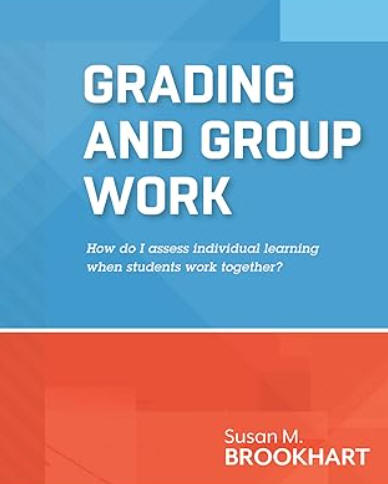 Susan Brookhart (2013a) provided valuable advice in
Grading and Group Work: How do I assess individual learning when students work together?
noting the struggle that many teachers have between the need for learners to
engage in cooperative learning and the need to provide individual grades.
"Many teachers use group work in the general sense, assigning students to
collaborate in groups that result in one undifferentiated product. But
true cooperative learning requires individual accountability. No matter
what kind of cooperative learning or group work you employ, it is important
not to give group grades" (Does group work have to mean group grades? section).
She further explains what's wrong with group grades and grading cooperative work
versus group work. She answers: How can I assess learning and process
skills? How can I assess and grade individual students' achievement?
How can I adapt group projects to enable individual grading?
Susan Brookhart (2013a) provided valuable advice in
Grading and Group Work: How do I assess individual learning when students work together?
noting the struggle that many teachers have between the need for learners to
engage in cooperative learning and the need to provide individual grades.
"Many teachers use group work in the general sense, assigning students to
collaborate in groups that result in one undifferentiated product. But
true cooperative learning requires individual accountability. No matter
what kind of cooperative learning or group work you employ, it is important
not to give group grades" (Does group work have to mean group grades? section).
She further explains what's wrong with group grades and grading cooperative work
versus group work. She answers: How can I assess learning and process
skills? How can I assess and grade individual students' achievement?
How can I adapt group projects to enable individual grading?
In a recent article, Planning for Fair Group Work, Susan Brookhart and Amir Rasooli (2021) provided four recommendations to implement and assess group work fairly.
The State University of New York at Albany's Institute for Teaching, Learning, and Academic Leadership also developed a useful guide for group projects: How can I design, implement, and grade group projects that ensure student learning? The guide includes examples of elements of effective group project assignments, including those that can be completed individually contributing to the project. Of value is the following grading scheme as an example, which focuses on individual assessment:
How can I assess group work? from the Eberly Center at Carnegie Mellon University delves into the challenges and includes samples of group project assessment tools.
Mary Allen (2003) noted that rubrics can be used to evaluate the quality of “virtually any product or behavior, such as essays, research reports, portfolios, works of art, recitals, oral presentations, performances, and group activities. Judgments can be self-assessments by students; or judgments can be made by others, such as faculty, other students, or field-work supervisors. Rubrics can be used to provide formative feedback to students, to grade students, and/or to assess programs” (para. 1). Essential features include "evaluative criteria, quality definitions, and a scoring strategy" (Popham, 1997, Rudiments section).
There are three common types of rubrics: analytic, developmental, and holistic. McTighe, Brookhart, and Guskey (2024) noted that all three types share three elements essential to rubrics, but render them in different ways. That is, as an assessment tool, a rubric consists of "1) a set of criteria aligned to learning goals; 2) a performance scale typically consisting of three or four levels, and 3) descriptors that differentiate the levels of performance on the scale" (para. 3).
An analytic rubric is often designed in column format with multiple performance criteria listed in the first column and the quality indicator levels, which vary on a continuum, listed in the first row across remaining columns. Each quality level might contain one point value or a range of points that can be assigned. Each criteria might also be accompanied by a comment space for additional feedback on the element. Cells within the rubric might be blank or contain elaborations of each performance criteria for the specific quality level. The developmental rubric is a subset of the analytic rubric and is based on a theory of development. It is useful when the goal is to determine a level of development (e.g., of a skill, value, ability, etc.) rather than the quality of a final product. When using a holistic rubric, a single score (e.g., from 1-4 points on a scale, or 1-6 points on a scale) is assigned based on the overall quality of work in consideration of all criteria. The evaluator matches the student's work to a single description of it. For example, ratings might be above average, sufficient, developing, needs improvement with elaborations on criteria for selecting each (DePaul University, Teaching Commons, Types of Rubrics, n.d.).
Students benefit from access to a rubric while they are working on a project. Knowing the criteria on which they will be assessed is a plus to help them develop, evaluate and tweak their own work prior to submitting it.
Rubrics are valued because they enable objectivity in assessment. However, when educators design their own rubric or select an existing one, they need to consider the potential increase in cognitive load it might present when actually using it. The greater the number of criteria and granularity within quality levels, the longer it takes to apply the rubric for one project. Ranges of point values within a quality level also add a degree of subjectivity to using the rubric. Then consider the number of projects to be assessed. Per Popham (1997), if a rubric is to be instructionally useful, its length makes a difference. Teachers will avoid using overly detailed rubrics, particularly for routine tasks.
Rubrics that include quality indicators requiring evaluators to count errors before assigning a point-value also increase cognitive load and require a level of granularity in grading that not all educators are willing or even able to do. Of course, this would depend on the objective of the assignment or project. Scores derived from a rubric might also be affected by terms within quality levels that might be understood differently among evaluators who use the rubric. Quality elements that differ by only a word or two are particularly challenging to use. For example, consider quality levels such as: … is not stated, … is stated, …. is clearly stated, … is clearly and concisely stated.
Rubrics might also pose a challenge if the numeric score obtained from it will be translated into letter-grades.
Learn how to create rubrics to help measure quality and student performance on projects with these additional resources. Or, use an existing rubric.
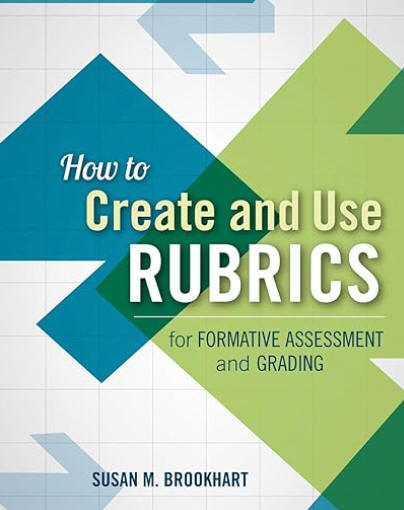 How
to Create and Use Rubrics for Formative Assessment and Grading
by Susan Brookhart (2013b) includes two sections. In Section 1, Brookhart
lays out the basics of rubrics, explains their importance, discusses common
misconceptions, and how to write or select effective rubrics. She
identifies various kinds of rubrics and their essential components. In
Section 2, she explains how to use rubrics for formative assessment and grading.
How
to Create and Use Rubrics for Formative Assessment and Grading
by Susan Brookhart (2013b) includes two sections. In Section 1, Brookhart
lays out the basics of rubrics, explains their importance, discusses common
misconceptions, and how to write or select effective rubrics. She
identifies various kinds of rubrics and their essential components. In
Section 2, she explains how to use rubrics for formative assessment and grading.
The following existing rubrics from various locations are of value in projects:
Teach-nology: Rubric Makers allow you to make grading rubrics by filling out a simple form. The materials are made instantly and can be printed directly from your computer. You can also customize your own rubric. Rubrics of interest include homework, class participation, math projects, oral presentations, WebQuests, team work, writing, research reports, and reading.
Tech4Learning: Rubric Maker includes a free version.
Often students have difficulty seeing the math that is around them everyday or they lack motivation for studying mathematics because they don't see the connection of it to everyday life. One way to help them is to show them the beauty of math found in nature and in everyday life. Another is to listen to the variety of TED Talks on the Topic of Math from experts around the world, which is sure to capture the interest of your learners. Many of these can also provide great topics for projects.
View The Great Math Mystery (2015, about 50 minutes) from PBS.org. Per the program description:
"Join NOVA on a mathematical mystery tour—a provocative exploration of math's astonishing power across the centuries. We discover math's signature in the swirl of a nautilus shell, the whirlpool of a galaxy, and the spiral in the center of a sunflower. Math was essential to everything from the first wireless radio transmissions to the prediction and discovery of the Higgs boson and the successful landing of rovers on Mars. Astrophysicist and writer Mario Livio, along with a colorful cast of mathematicians, physicists, and engineers, follow math from Pythagoras to Einstein and beyond. It all leads to the ultimate riddle: Is math a human invention or the discovery of the language of the universe?"
 The
image shown is of the Fibonacci series Golden section proportion.
The golden section occurs in nature. See
9
Examples of the Golden Ratio in Nature, from Pinecones to the Human Body
at Mathnasium.
The
image shown is of the Fibonacci series Golden section proportion.
The golden section occurs in nature. See
9
Examples of the Golden Ratio in Nature, from Pinecones to the Human Body
at Mathnasium.
View the short video, Nature by Numbers, created by Cristóbal Vila, which was inspired by numbers (e.g., Fibonacci and Golden Ratio), geometry, and nature. This is truly beautiful and eye-opening. Then visit:
Dr. Ron Knott's web site contains more on Fibonacci numbers and the Golden Section in nature. You will also find activities to do with your learners. Note: The Fibonacci numbers are 0, 1, 1, 2, 3, 5, 8, 13, ... (add the previous two to get the next).
 Who was Fibonacci? Fibonacci
or Leonardo of Pisa lived from 1170-1250. Read
a "brief biographical sketch of Fibonacci, his life, times and
mathematical achievements."
Who was Fibonacci? Fibonacci
or Leonardo of Pisa lived from 1170-1250. Read
a "brief biographical sketch of Fibonacci, his life, times and
mathematical achievements."
Golden Ratio is (√5 + 1)/2 or about 1.618 and is given the Greek symbol Phi (φ). Math is Fun provides learners with an easy to understand explanation of the Golden Ratio, the Golden Section, and Fibonacci numbers.
Learn more about the golden ratio at GoldenNumber.net and see where it is used in everyday applications.
Omnicalculator.com has multiple calculators. Use the Golden Ratio Calculator to find two lengths that would compute to give the golden ratio. Use the Golden Rectangle Calculator to input one side of the rectangle and automatically see the length of the adjacent side and area of the rectangle that forms a golden rectangle, one whose sides are in the golden ratio.
The Exploratorium in San Francisco features the Geometry Playground, which will change how you view geometry in nature. It contains three sections: The Geometry of Seeing with a photo exhibition of the invisible geometry of light; The Geometry of Moving on the arcs, angles, and shapes created when people and things are in motion; and the Geometry of Fitting Things Together. Each includes hands-on activities for grades K-8. The Geometry Garden features curiosities found in nature from crystals to seashells to sculptures. The site was made possible by the National Science Foundation and the Gordon and Betty Moore Foundation.
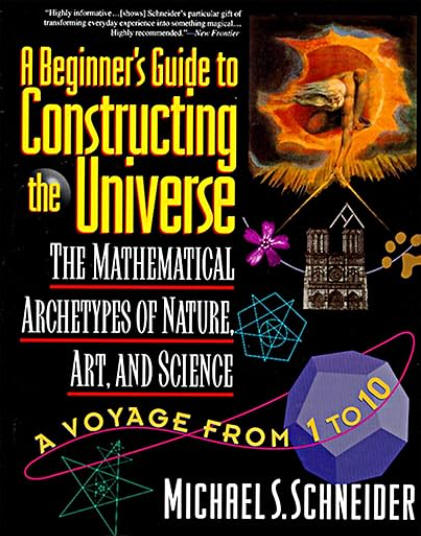 Imagery: A Key to Understanding Math by Holly Korbey at Mindshift
(2013, October 31) is a quick eye-opener to helping students find the
beauty in math and overcome math anxiety. It leads one to a
valuable book by Michael Schneider (1995) on the topic:
A Beginner's Guide to Constructing the Universe: Mathematical Archetypes of Nature, Art, and Science.
Schneider focuses on the numbers 1-10 and provides a fascinating
historical discussion of their relationship to geometry found in nature,
art, science, architecture, and so on over time. Using a compass,
straightedge, and pencil he demonstrates how you can introduce this
beauty to your learners. For example, "ancient philosophers
conceived that the Monad [The First] ... creates all subsequent numbers
(11111111 x 11111111 = 12345678987654321)" (p. 3). And the circle
"represents a wonderful first glymph into nature's alphabet" (p. 4).
Imagery: A Key to Understanding Math by Holly Korbey at Mindshift
(2013, October 31) is a quick eye-opener to helping students find the
beauty in math and overcome math anxiety. It leads one to a
valuable book by Michael Schneider (1995) on the topic:
A Beginner's Guide to Constructing the Universe: Mathematical Archetypes of Nature, Art, and Science.
Schneider focuses on the numbers 1-10 and provides a fascinating
historical discussion of their relationship to geometry found in nature,
art, science, architecture, and so on over time. Using a compass,
straightedge, and pencil he demonstrates how you can introduce this
beauty to your learners. For example, "ancient philosophers
conceived that the Monad [The First] ... creates all subsequent numbers
(11111111 x 11111111 = 12345678987654321)" (p. 3). And the circle
"represents a wonderful first glymph into nature's alphabet" (p. 4).
 What is a fractal?
The Fractal Foundation
defines a fractal as a "never-ending pattern" that
is "self-similar across
different scales." Fractals are found in nature and in math.
This site features "fractivities," which
"are hands-on projects that teach fractal concepts in a fun, artistic
way. Students utilize their math skills in real-world applications and
also work together as a team to create large fractal designs." The
activities are free and align with the Common Core standards in math and
English language arts. You'll also find an Educators' Guide and free fractal software to
make your own fractal.
What is a fractal?
The Fractal Foundation
defines a fractal as a "never-ending pattern" that
is "self-similar across
different scales." Fractals are found in nature and in math.
This site features "fractivities," which
"are hands-on projects that teach fractal concepts in a fun, artistic
way. Students utilize their math skills in real-world applications and
also work together as a team to create large fractal designs." The
activities are free and align with the Common Core standards in math and
English language arts. You'll also find an Educators' Guide and free fractal software to
make your own fractal.
The PBS television series , NOVA, has a one-hour program about fractals called Hunting the Hidden Dimension. There are five chapters, which can be viewed separately. Learn about fractals in nature, including those in the human body. There are links and books, a teacher's guide, and an email newsletter for learning more. You can also design your own fractal using NOVA's interactive generator.
Fractals are explored in Wikipedia.
 Pomegranate Software offers the program called
Fractals, which is designed for use on iPad
and iPhone. It “renders as you move and
pinch to explore Mandelbrot and Julia set fractals
in real-time.” See the exciting displays and learn more
about fractals at this site.
Pomegranate Software offers the program called
Fractals, which is designed for use on iPad
and iPhone. It “renders as you move and
pinch to explore Mandelbrot and Julia set fractals
in real-time.” See the exciting displays and learn more
about fractals at this site.
If you wish to generate fractals, there are many free possibilities. For other examples, see the Online Fractal Generator for 2D, Ultra Fractal, and Frax. Frax is by Iter9, LLC.
Back to top | Math Projects: Page 1 | 2
Allen, M. (2003). Student learning outcomes and assessment. https://web.archive.org/web/20190810172413/http://www.calstate.edu/itl/resources/assessment/rubrics.shtml
Brookhart, S. (2013a). Grading and group work: How do I assess individual learning when students work together? Arlington, VA: ASCD. Available: https://amzn.to/3RMrR6A
Brookhart, S. (2013b). How to create and use rubrics for formative assessment and grading. Arlington, VA: ASCD. Available: https://amzn.to/47vTW83
Brookhart, S., & Rasooli, A. (2021, July 1). Planning for fair group work. Educational Leadership, 78(9). https://www.ascd.org/el/articles/planning-for-fair-group-work
Common Core State Standards. (2010). Standards for Mathematical Practice. https://www.thecorestandards.org/Math/Practice/
Condliffe, B., Quint, J., Visher, M., Bangser, M., Drohojowska, S., Saco, L., & Nelson, E. (2017). Project-based learning: A literature review [Working Paper]. https://www.mdrc.org/publication/project-based-learning
Deal, A. (2009). Collaboration tools. Carnegie Mellon University. https://www.cmu.edu/teaching/technology/whitepapers/CollaborationTools_Jan09.pdf
DePaul University Teaching Commons. (n.d.) Types of rubrics. https://resources.depaul.edu/teaching-commons/teaching-guides/feedback-grading/rubrics/Pages/types-of-rubrics.aspx
Frontier, T. (2021, September 20). The potential and perils of student projects. ASCD. https://www.ascd.org/blogs/the-potential-and-perils-of-student-projects
Goodwin, B. (2010). Choice is a matter of degree. Educational Leadership, 68(1), 80-81. https://www.ascd.org/el/articles/choice-is-a-matter-of-degree
Gorman, M. (2019, June 29). PBL and content: 15 ideas to make sure project based learning supports the standards. Tech & Learning. https://www.techlearning.com/news/pbl-and-content-15-ideas-to-make-sure-project-based-learning-supports-the-standards
Kurt, S. (2021, January 27). WebQuest: An inquiry-oriented approach in learning. https://educationaltechnology.net/webquest-an-inquiry-oriented-approach-in-learning/
Larmer, J. (2014). Boosting the power of projects. Educational Leadership, 72(1), 43-46. https://www.ascd.org/el/articles/boosting-the-power-of-projects
Larmer, J. (2015, April 21). Gold standard PBL: Project based teaching practices [Blog post]. https://www.pblworks.org/blog/gold-standard-pbl-project-based-teaching-practices
Larmer, J. (2023, May 30). Gold standard PBL: Essential project design elements [Blog post]. https://www.pblworks.org/blog/gold-standard-pbl-essential-project-design-elements
Larmer, J., & Mergendoller, J. R. (2010). Seven essentials for project-based learning. Educational Leadership, 68(1), 34-37. https://www.ascd.org/el/articles/seven-essentials-for-project-based-learning
Larmer, J., & Mergendoller, J. R. (2015, May 11). Why we changed our model of the 8 essential elements of PBL [Blog post]. https://my.pblworks.org/resource/blog/why_we_changed_our_model_of_the_8_essential_elements_of_pbl
March, T. (2003). The learning power of webquests. Educational Leadership, 61(4), 42-47. https://www.ascd.org/el/articles/the-learning-power-of-webquests
McTighe, J., Brookhart, S., & Guskey, T. (2024, March 1). The value of descriptive, multi-level rubrics.Educational Leadership, 81(6). https://www.ascd.org/el/articles/the-value-of-descriptive-multi-level-rubrics
Miller, A. (2011, May 10 ). Tips for using project-based learning to teach math standards. Edutopia. https://www.edutopia.org/blog/project-based-learning-math-standards
National Research Council. (2012, July). Education for life and work: Developing transferable knowledge and skills in the 21st century [Report Brief]. J. W. Pellegrino, & M. L. Hilton (Eds.); Committee on Defining Deeper Learning and 21st Century Skills; Center for Education; Division on Behavioral and Social Sciences and Education. Washington, DC: The National Academies Press. https://www.nap.edu/catalog/13398/education-for-life-and-work-developing-transferable-knowledge-and-skills
Pahomov, L. (2014). Authentic learning in the digital age. Arlington, VA: ASCD. Available: https://amzn.to/3TGbcTH
Popham, W. J. (1997). Special topic/What's wrong--and what's right--with rubrics. Educational Leadership, 55(2). https://www.ascd.org/el/articles/whats-wrong-and-whats-right-with-rubrics
Robinson, J. (2013, May 27). From the principal's office: Which model of project-based learning is needed? TL Advisor Blog. https://www.techlearning.com/tl-advisor-blog/5809
Schwartz, K. (2016, August 30). Five ways to ensure real learning happens in maker-enhanced projects. KQED Mindshift. https://www.kqed.org/mindshift/46221/five-ways-to-ensure-real-learning-happens-in-maker-enhanced-projects
Ulm, V. (2011). Teaching mathematics - Opening up individual paths to learning. In series: Towards New Teaching in Mathematics, Issue 3. Bayreuth, Germany: SINUS International. https://d-nb.info/1013802446/34
Zhao, Y. (2012). World class learners: Educating creative and entrepreneurial students (1st ed.). Thousand Oaks, CA: Corwin. Available: https://amzn.to/3RXdzAa
Back to top | Math Projects: Page 1 | 2
 Learn
about the technical side of creating multimedia projects, including
working with images and video.
Learn
about the technical side of creating multimedia projects, including
working with images and video.

Comments? Are you finding resources at CT4ME of value? Contact CT4ME
Recommend this site to your friends and colleagues. Link to CT4ME, too.
To cite this page, use the following format:
Deubel, P. (year from last revised). K-12 math projects: About project-based learning. Computing Technology for Math Excellence. Retrieved Month, Day, Year, from https://www.ct4me.net/math_projects.htm
CT4ME Author: Dr. Patricia Deubel
Copyright © 2001-2026 [CT4ME.net]. All rights reserved.