
Math Topics
Learning Support
Professional


 This
page on math manipulatives (Page 1 of 3) has three sections:
This
page on math manipulatives (Page 1 of 3) has three sections:
Virtual Manipulatives on the Web (Page 2 of 3): a list of resources
Math Manipulatives (Page 3 of 3): Calculators and PDA resources, including calculator tutorials, activities, software enhancements, and calculator apps for mobile devices

Patricia Deubel of CT4ME developed the figure above to illustrate virtual manipulatives found on the Web, which are useful for mastery of basic skills and conceptual understanding of K-12 mathematics and calculus.
In What are Virtual Manipulatives?, Patricia Moyer, Johnna Bolyard, and Mark Spikell (2002) defined a virtual manipulative as "an interactive, Web-based visual representation of a dynamic object that presents opportunities for constructing mathematical knowledge" (p. 373). Static and dynamic virtual models can be found on the Web, but static models are not true virtual manipulatives. Static models look like physical concrete manipulatives that have traditionally been used in classrooms, but they are essentially pictures and learners cannot actually manipulate them. "...[U]ser engagement distinguishes virtual manipulative sites from those sites where the act of pointing and clicking results in the computer's providing an answer in visual or symbolic form" (p. 373). The key is for students to be able to construct meaning on their own by using the mouse to control physical actions of objects by sliding, flipping, turning, and rotating them.
Virtual manipulatives have a range of characteristics, such as pictorial images only, combined pictorial and numeric images, simulations, and concept tutorials, which include pictorial and numeric images with directions and feedback (Moyer-Packenham, Salkind, & Bolyard, 2008). Virtual manipulatives have been modeled after concrete manipulatives such as base ten blocks, coins, pattern blocks, tangrams, spinners, rulers, fraction bars, algebra tiles, geoboards, and geometric plane and solid figures, and have been in the form of applets created in Java, Flash*, and more recently in Javascript and HTML5.
In 2016, Moyer-Packenham and Bolyard revised the definition of virtual manipulative owing to the rise of technology tools containing virtual manipulatives. For example, sometimes you can also find virtual manipulatives embedded in gaming environments. They are no longer only web-based and manipulated by a computer mouse. "Today, virtual manipulatives are presented on computer screens, on touch screens of all sizes (e.g., tablets, phones, white boards), as holographs, and via a variety of different viewing and manipulation devices." Manipulation can occur via a "mouse, stylus, fingers, lasers," and other modalities in years to come (Abstract section). Hence, the updated definition of a virtual manipulative is "an interactive technology-enabled visual representation of a dynamic mathematical object, including all of the programmable features that allow it to be manipulated, that presents opportunities for constructing mathematical knowledge." This revision implies that "a virtual manipulative may: (a) appear in many different technology-enabled environments; (b) be created in any programming language; and (c) be delivered by any technology-enabled device" (Moyer-Packenham and Bolyard, 2016, section 1.8).
*Note: Flash Player is at end of life, per Adobe's December 2020 announcement. "Since, Adobe will no longer be supporting Flash Player after December 31, 2020 and Adobe will block Flash content from running in Flash Player beginning January 12, 2021, Adobe strongly recommends all users immediately uninstall Flash Player to help protect their systems." See Best Flash Player Alternatives To Use In 2023 For Playing Flash-Based Multimedia Content posted at WeTheGeek, which provides information on eight free or paid alternatives.
Virtual manipulatives can be used to address standards, such as those in Principles and Standards for School Mathematics (NCTM, 2000) and the Common Core Standards (2010) for mathematics, which call for study of both traditional basics, such as procedural skills, and new basics, such as reasoning and problem solving and an emphasis on understanding. Using manipulatives in the classroom assists with those goals and is in keeping with the progressive movement of discovery and inquiry-based learning. For example, in their investigation of 113 K-8 teachers' use of virtual manipulatives in the classroom, Moyer-Packenham, Salkind, and Bolyard (2008) found that content in a majority of the 95 lessons examined focused on two NCTM standards: Number & Operations and Geometry. "Virtual geoboards, pattern blocks, base-10 blocks, and tangrams were the applets used most often by teachers. The ways teachers used the virtual manipulatives most frequently focused on investigation and skill solidification. It was common for teachers to use the virtual manipulatives alone or to use physical manipulatives first, followed by virtual manipulatives" (p. 202).
Virtual manipulatives provide that additional tool for helping students at all levels of ability "to develop their relational thinking and to generalize mathematical ideas" (Moyer-Packenham, Salkind, & Bolyard, 2008, p. 204). All students learn in different ways. For some, mathematics is just too abstract. Most learn best when teachers use multiple instructional strategies that combine "see-hear-do" activities. Most benefit from a combination of visual (i.e., pictures and 2D/3D moveable objects) and verbal representations (i.e., numbers, letters, words) of concepts, which is possible with virtual manipulatives and is in keeping with Paivio and Clark's Dual Coding Theory. The ability to combine multiple representations in a virtual environment allows students to manipulate and change the representations, thus increasing exploration possibilities to develop concepts and test hypotheses. Using tools, such as calculators, allows students to focus on strategies for problem solving, rather than the calculation itself.
According to Douglas H. Clements (1999) in "Concrete" Manipulatives, Concrete Ideas there is pedagogical value of using computer manipulatives. He said, "Good manipulatives are those that are meaningful to the learner, provide control and flexibility to the learner, have characteristics that mirror, or are consistent with, cognitive and mathematics structures, and assist the learner in making connections between various pieces and types of knowledge—in a word, serving as a catalyst for the growth of integrated-concrete knowledge. Computer manipulatives can serve that function" (The Nature of "Concrete" Manipulatives and the Issue of Computer Manipulatives section, para. 2).
Christopher Matawa (1998, p. 1) suggested many Uses of Java Applets in Mathematics Education:
Applets to generate examples. Instead of a single image with a picture that gives an example of the concept being taught an applet allows us to have very many examples without the need for a lot of space.
Applets that give students simple exercises to make sure that they have understood a definition or concept.
Applets that generate data. The students can then analyze the data and try to make reasonable conjectures based on the data.
Applets that guide a student through a sequence of steps that the student performs while the applet is running.
Applets that present ''picture proofs''. With animation it is possible to present picture proofs that one could not do without a computer.
An applet can also be in the form of a mathematical puzzle. Students are then challenged to explain how the applet works and extract the mathematics from the puzzle. This also helps with developing problem solving skills.
An applet can set a theme for a whole course. Different versions of an applet can appear at different stages of a course to illustrate aspects of the problem being studied.
While the research is scarce on mathematics achievement resulting from using virtual manipulatives, Moyer-Packenham, Salkind, and Bolyard (2008) found, overall, results from classroom studies and dissertations "have indicated that students using virtual manipulatives, either alone or in combination with physical manipulatives, demonstrate gains in mathematics achievement and understanding" (p. 205). Generalizability might be a concern, however, as found in Kelly Reimer's and Patricia Moyer's action research study (2005), Third-Graders Learn About Fractions Using Virtual Manipulatives: A Classroom Study. The study provides a look into the potential benefits of using these tools for learning. Interviews with learners revealed that virtual manipulatives were helping them to learn about fractions, students liked the immediate feedback they received from the applets, the virtual manipulatives were easier and faster to use than paper-and-pencil, and they provided enjoyment for learning mathematics. Their use enabled all students, from those with lesser ability to those of greatest ability, to remain engaged with the content, thus providing for differentiated instruction. But did the manipulatives lead to achievement gains? The authors do admit to a problem with generalizability of results because the study was conducted with only one classroom, took place only during a two-week unit, and there was bias going into the study. However, results from their pretest/posttest design indicated a statistically significant improvement in students' posttest scores on a test of conceptual knowledge, and a significant relationship between students' scores on the posttests of conceptual knowledge and procedural knowledge. Applets were selected from the National Library of Virtual Manipulatives.
Resources:
Glossary of Hands-On Manipulatives
Virtual Manipulatives How-To Videos and several free virtual manipulatives and activities posted at Didax.com
MathBits.com developed an online-PowerPoint, Working with Algebra Tiles. Algebra tiles can be used to factor numbers; add, subtract, multiply, divide signed numbers; make simple substitutions; solve equations; illustrate the distributive property; represent polynomials; add, subtract, multiply, divide, factor polynomials; investigate polynomials; and complete the square. Slides also show how to make your own tiles.
Virtual manipulatives are often used when concrete or physical manipulatives are not available. In order to effectively use virtual manipulatives in the classroom, "teachers must have an understanding of how to use representations for mathematics instruction as well as an understanding of how to structure a mathematics lesson where students use technology...Teachers must also be comfortable with technology and be prepared for situations where computers may not be available or Internet connections are not working properly" (Reimer & Moyer, 2005, p. 7).
My own experience (P. Deubel) confirms that virtual manipulatives may take a while to download, and in some cases, the wait time might be frustrating. Imagine the frustrations for a learner anxious to begin. Plus, even when successfully downloaded, they might not work fast enough for learners who are accustomed to playing high speed, interactive video games. In some cases, the footprint on the screen might be too small for learners with poor mousing skills or for those with limited dexterity to click on relevant icons or to perform the spins, rotations, flips and turns required.
Teachers should be aware of problems that might arise from overusing both concrete and virtual manipulatives. In The State of State Math Standards 2005, David Klein (2005) discussed nine problem areas in which state standards come up short. Among those was concern for an overuse of calculators and manipulatives in that students might come to depend on them and focus on the manipulatives more than on the math. "[M]any state standards recommend and even require the use of a dizzying array of manipulatives in counterproductive ways" (p. 11).
Again, in my view (P. Deubel) such a reliance might have its roots in the quality of instruction, in part, and failure of the math educator to explicitly state and reinforce the link between the use of the manipulative, and development of concepts for understanding and properties of mathematics to be learned. Such might be the case, for example when using algebra tiles for multiplying and factoring polynomials, if the educator failed to explicitly link the knowledge of the distributive property to that action.
In more recent research to identify evidence regarding the effectiveness of different strategies for teaching mathematics to children aged 9-14, Hodgen, Foster, Marks, and Brown (2018) found the strength of evidence was high regarding calculators and concrete manipulatives. Their synthesis revealed:
I have an interesting personal story to relate on the use of calculators. One day our newspaper person, who was a middle school student at the time, knocked on our door to collect our monthly payment for the newspapers. He took out his calculator to multiply the weekly payment by four, which he should have been able to do mentally. I asked him what he would do to figure out my bill, if his calculator no longer worked. He said, "I'd go buy new batteries!" Klein (2005) stated that manipulatives are useful for introducing new concepts to elementary students, but, "In the higher grades, manipulatives can undermine important educational goals" (p. 11). Among those are for students to develop skill fluency, conceptual understanding, and mathematical reasoning. Many states' standards documents overemphasize calculator use, for example.
 I agree with Klein (2005) that educators should not overly
rely on calculator use at the expense of having students master basic skills and
memorize basic facts, which are essential for higher order learning in
mathematics. In this sense drill and practice still have a role in
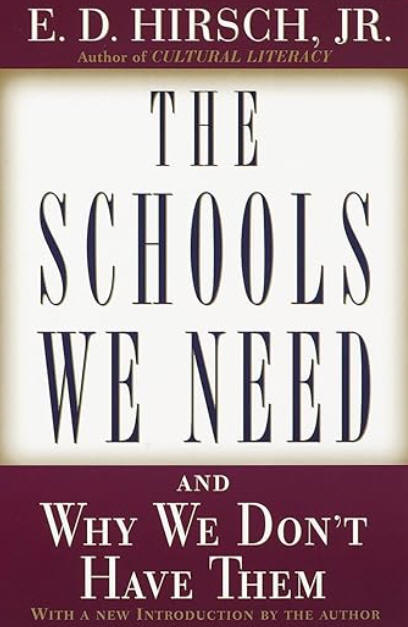
teaching and learning mathematics. According to E. D. Hirsch (1999),
author of The Schools We Need: And Why We Don't Have
Them, drill and practice may have a disparaging connotation as a pedagogical tool to teach
skills and runs contrary to the progressive movement, but the method should not
be slighted as low level. It is just as essential to complex intellectual
performance as drill and practice are to the virtuoso violinist or the athlete
on the playing field.
I agree with Klein (2005) that educators should not overly
rely on calculator use at the expense of having students master basic skills and
memorize basic facts, which are essential for higher order learning in
mathematics. In this sense drill and practice still have a role in
teaching and learning mathematics. According to E. D. Hirsch (1999),
author of The Schools We Need: And Why We Don't Have
Them, drill and practice may have a disparaging connotation as a pedagogical tool to teach
skills and runs contrary to the progressive movement, but the method should not
be slighted as low level. It is just as essential to complex intellectual
performance as drill and practice are to the virtuoso violinist or the athlete
on the playing field.
Bottom line: According to the National Mathematics Advisory Panel (2008) in its Foundations for Success:
Despite the widespread use of mathematical manipulatives such as geoboards and dynamic software, evidence regarding their usefulness in helping children learn geometry is tenuous at best. Students must eventually transition from concrete (hands-on) or visual representations to internalized abstract representations. The crucial steps in making such transitions are not clearly understood at present and need to be a focus of learning and curriculum research. (p. 29)
With this being said, CT4ME has a number of virtual manipulatives that can serve you well in the classroom. As one educator recently told me at one of my own conference presentations on this topic, "I don't have to worry about students flicking rubber bands at each other any more!" She was using virtual geoboards.
View the explanation of the Concrete, Representationl, Abstract (CRA) Model posted at the Mathematics Hub. It is "based on Jerome Brunner’s theory of cognitive development: enactive (action-based), iconic (image-based) and symbolic (language-based)." You'll also find guidance on how to use manipulatives at the primary and secondary levels.
Durmus, S., & Karakirik, E. (2006, January). Virtual manipulatives in mathematics education: A theoretical framework. The Turkish Online Journal of Educational Technology, 5(1), article 12. https://tojet.net/articles/v5i1/5112.pdf [Note: CT4ME is cited in this article.]
Furner, J. M., & Worrell, N. L. (2017). The importance of using manipulatives in teaching math today. Transformations, 3(1), article 2. https://nsuworks.nova.edu/transformations/vol3/iss1/2 [This article is primarily on research in which teachers were using concrete manipulatives.]
Jones, J., & Tiller, M. (2017). Using concrete manipulatives in mathematical instruction. Dimensions of Early Childhood, 45(1), 18-23. https://files.eric.ed.gov/fulltext/EJ1150546.pdf
Back to top | Math Manipulatives: Page 1 | 2 | 3
Clements, D. H. (1999). Concrete' manipulatives, concrete ideas. Contemporary Issues in Early Childhood, 1(1), 45-60. https://journals.sagepub.com/doi/pdf/10.2304/ciec.2000.1.1.7
Common Core State Standards. (2010). Standards for Mathematics. https://www.thecorestandards.org/Math/
Hirsch, E. D., Jr. (1999). The schools we need: And why we don't have them. New York, NY: Doubleday. ISBN: 0-385-49524-2. https://amzn.to/47E0xO4
Hodgen, J., Foster, C., Marks, R., & Brown, M. (2018). Evidence for review of mathematics teaching: Improving mathematics in key stages two and three: Evidence review. London: Education Endowment Foundation. https://repository.lboro.ac.uk/articles/report/Evidence_for_review_of_mathematics_teaching_Improving_mathematics_in_key_stages_two_and_three/9367529
Klein, D. (2005, January). The state of state math standards 2005. Washington, DC: Thomas B. Fordham Institute. https://fordhaminstitute.org/national/research/state-state-math-standards-2005
Matawa, C. (1998, August). Uses of Java applets in mathematics education. Paper presented at Asian Technology Conference in Mathematics, Tsukuba, Japan. https://web.archive.org/web/20120912105550/http://www.atcminc.com/mPublications/EP/EPATCM98/ATCMP016/paper.pdf
Moyer, P., Bolyard, J., & Spikell, M. (2002). What are virtual manipulatives? Teaching Children Mathematics, 8(6), 372-377. https://courses.edtechleaders.org/documents/elemmath/manipulatives.pdf
Moyer-Packenham, P., & Bolyard, J. (2016). Revisiting the definition of a virtual manipulative. In P. Moyer-Packenham (Ed.), International perspectives on teaching and learning with virtual manipulatives (pp. 3-25). Springer International Publishing Switzerland. https://digitalcommons.usu.edu/cgi/viewcontent.cgi?article=3398&context=teal_facpub
Moyer-Packenham, P., Salkind, G., & Bolyard, J. (2008). Virtual manipulatives used by K-8 teachers for mathematics instruction: Considering mathematical, cognitive, and pedagogical fidelity. Contemporary Issues in Technology and Teacher Education, 8(3), 202-218. Association for the Advancement of Computing in Education (AACE). https://citejournal.org/volume-8/issue-3-08/mathematics/virtual-manipulatives-used-by-k-8-teachers-for-mathematics-instruction-considering-mathematical-cognitive-and-pedagogical-fidelity/
National Council of Teachers of Mathematics. (2000). Principles and standards for school mathematics. Reston, VA: Author. https://www.nctm.org/Standards-and-Positions/Principles-and-Standards/
National Mathematics Advisory Panel. (2008). Foundations for success: The final report of the National Mathematics Advisory Panel. Washington, DC: U.S. Department of Education. https://files.eric.ed.gov/fulltext/ED500486.pdf
Reimer, K., & Moyer, P. S. (2005). Third graders learn about fractions using virtual manipulatives: A classroom study. Journal of Computers in Mathematics and Science Teaching, 24(1), 5-25. https://digitalcommons.usu.edu/cgi/viewcontent.cgi?article=1039&context=teal_facpub
Back to top | Math Manipulatives: Page 1 | 2 | 3
 See
related topics: Math Resources and
Standardized Test Preparation.
See
related topics: Math Resources and
Standardized Test Preparation.

Comments? Are you finding resources at CT4ME of value? Contact CT4ME
Recommend this site to your friends and colleagues. Link to CT4ME, too.
To cite this page, use the following format:
Deubel, P. (year from last revised). Math manipulatives: About virtual manipulatives and their role in learning math. Computing Technology for Math Excellence. Retrieved Month, Day, Year, from https://www.ct4me.net/math_manipulatives.htm
CT4ME Author: Dr. Patricia Deubel
Copyright © 2001-2026 [CT4ME.net]. All rights reserved.