
Math Topics
Learning Support
Professional


Technology Integration is a four part series on essential questions, technology integration resources, web page design, and multimedia in projects. Sections contain relevant opening essays and resources.
Part 1: Essential Questions
Part 2: Technology Integration Resources
Part 3: Web Page Design
Part 4: Multimedia in Projects
 Multimedia
Resources (Page 2): The current page has subsections:
Multimedia
Resources (Page 2): The current page has subsections:
 If you are integrating media into your instruction, consider it's not
about the tools, it's using the tools to facilitate learning.
If you are integrating media into your instruction, consider it's not
about the tools, it's using the tools to facilitate learning.
The Centre for Learning and Performance Technologies is a must see site for the Top Tools for Learning, which include many tools for collaboration and communication, multimedia development, online learning, and more.
 MIT
and Google have developed MIT App
Inventor, a programming learning tool which allows you to create
real-world apps for Android and iOS devices. It's meant for students
and comes with plenty of tutorials for beginners and up. Best of all,
it is free. Luke Edwards (2022, June) at Tech & Learning provides an
overview in
What is MIT App Inventor and How Does It Work? Tips and Tricks.
MIT
and Google have developed MIT App
Inventor, a programming learning tool which allows you to create
real-world apps for Android and iOS devices. It's meant for students
and comes with plenty of tutorials for beginners and up. Best of all,
it is free. Luke Edwards (2022, June) at Tech & Learning provides an
overview in
What is MIT App Inventor and How Does It Work? Tips and Tricks.
 Open source software is "computer software whose source code is
available under a copyright license that permits users to study, change,
and improve the software, and to freely distribute it to potential
users" (K12opensource.org, para. 1).
Open source software is "computer software whose source code is
available under a copyright license that permits users to study, change,
and improve the software, and to freely distribute it to potential
users" (K12opensource.org, para. 1).
More and more, schools are turning to open source software as a way to cut down expenses associated with commercial software. Many of the programs provide documentation and tutorials for their use. However, support, security, integration with pre-existing systems, and track records of successful implementations in schools are issues of concern (Nagel, 2007a).
Fortunately, there are organizations looking at successful implementations of open source and keeping track of open source standards, hardware, and the better open source software. For more information, see the following resources:
Osalt.com provides easy access to open source alternatives to many well-known commercial software products.
Wikipedia provides a
list for
free and open-source software packages.
.
Note: If you are looking for video-editing software, Nagel (2007b) noted that this software comes in professional, semi-professional, and consumer varieties. Free or cheap solutions might introduce students to editing concepts and get the job done for K-12 school projects, but "the way those editors work is not the way professional systems work" (online p. 1). So, you also need to consider the learning outcome of using the software and that some software, whether it is for audio or video editing, might not provide the skills that students would need for college level or professional work.
Adobe Creative Cloud Express is free for K-12 educators in the U.S. who have a Google Workspace for Education account and supported domains. It features drag-and-drop multimedia creation and includes access to Adobe applications such as Photoshop Express, Premier Rush, Spark Video, and Spark Page. It comes with thousands of templates, per its description. Teachers will appreciate the information in the Getting Started With Classroom Accounts pdf.
Buncee is a web-based tool for creating interactive multimedia presentations and projects. It features a drag-and-drop interface to help create content. Premium graphics include a library of over 8,000 stickers, animations, templates, or upload your own. Get inspiration from the library of ideas, searchable by topic area (including math) and grade level. It is COPPA and FERPA compliant. There is a free version and pricing plans for more options.
Canva is online presentation software. It comes with hundreds of templates (or create your own), over a million stock images (or upload your own), and a range of fonts and colors to create a presentation, which you can save and share with others. Presentations can be designed collaboratively. You can create infographics with Canva, too. Canva includes a graph maker, which is useful for math. There's also a free iPad app. Canva also offers a free online whiteboard tool. Canva for Education is "100% free for teachers and students at eligible schools."
Classtools allows you to create free educational games, quizzes, diagrams, and activities.
Emaze allows you to create presentations, websites, e-cards, blogs, and photo albums using the templates it provides. Pricing plans include some free options. Emaze indicates "Hundreds of exciting templates and our easy to use editor allow students of all ages to create anything they can imagine. Teachers can engage their class with interactive presentations that make learning more accessible, stimulating, and effective." You can "incorporate video, audio, and text."
Equatio from Everway will prove to be a valuable tool for math educators and their learners. Use the equation editor to create equations, expressions, formulas, and more digitally. You can dictate equations and formulas aloud and the product will convert the input to digital expressions. There's a graph editor. You can use a touchscreen or mouse pointer to handwrite the math, and the product will convert it to digital. The screenshot reader will turn any equation across the web into accessible, editable math.
Excel Easy includes a set of free online tutorials for learning Microsoft Excel and 300 related examples of its features.
Explain Everything for grades 3-12 is a screencasting, whiteboard, and design app. You can import and insert any document, picture, or video; draw and annotate in color; move and animate objects; zoom and pan; record and play; and export and share. Use it to create tutorials and video lessons.
Gamma uses AI to create presentations, websites, social media content, and documents. It includes AI image generation. Presentations can be exported to PDF, PowerPoint, Google Slides and more. You can also import PowerPoint into Gamma for enrichment. You'll also find templates. A basic plan is free and paid options are available.
Genially is a content making tool that allows you to create presentations, infographics, gamification, interactive images, video presentations, guides, training materials, interactive lessons, and more. There is a collection of templates that include predefined interactivity and animation effects. Free and paid options are available for educators and students.
Google Docs and Google Spreadsheets are free web-based programs that allow you to create, edit, and store documents and spreadsheets online with whomever you choose, then publish online. Use Google Slides to create presentations, including in collaboration with others. Note when in presentation mode turn on automatic captioning so that the speaker's words will appear alongside each slide, a great option to increase accessibility. Also see Google Workspace for Education (new name for G Suite for Education), which includes a suite of Google tools tailored for schools and homeschools. It is free for eligible institutions.
Hypatia is a free math equation-editing tool, which is an add-on available for Google, MS Office, and the Desktop. It checks your work as you type and is designed to help students to solve problems.
HOT: Hypothesis is a browser extention that enables users to annotate and highlight content on the web, including socially in groups. You can add comments (it's like writing in the margins) and collaborate with others who are reading that content. Images and videos can be integrated. Although anyone can use it, for education it is aimed at teachers and students in grades 6 and above. Resources in the education section include examples and tips for classroom use. The tool is free with a signup. There are no ads.
Investintech.com: Free Powerpoint Templates, which you can also revise. These are very unique. Investintech.com also has other free PDF tools, mobile PDF apps, and productivity resources. One free app is called Able2Extract Mobile for iPad, which allows users to create PDF from MS Office documents and convert PDF to Word, Excel, PowerPoint and more.
Microsoft Office 365 for Education includes a set of free tools for verified academic institutions (schools, colleges, universities, including teachers, students, and administrators). The product is identical to the commercial version and includes features such as:
Additional information is also available at Microsoft Education.
Microsoft Office Online is free.
Nearpod for creating presentations also features ability to make videos interactive. Teachers can use it in K-12 to make lessons interactive, for formative assessments, and gamified activities, and post session-reports on student work. Teach three ways: Live participation, student-paced, or in front of the class. A plus is the library of standards-aligned lessons, activities, and videos. There are free and paid versions.
Open Author from OER Commons allows you to easily create open education resources. It combines three resources from OER Commons: Resource Building, Lesson Builder, and Module Builder.
OpenOffice.org is a free suite with programs for word processing, databases, spreadsheets, drawing, and presentations.
OpenOffice.org Math allows you to create formulas and other equations for your documents.
Pear Deck enhances presentations with Google Slides or Microsoft Office 365 apps like PowerPoint online and Teams. Using the Pear Deck Add-in you can add formative assessments and interactive questions to your presentations. The basic version is free, and includes the Flashcard Factory for teaching vocabulary if using Google apps. You can create your own slides or use available templates. The premium version offers additional features, such as adding audio to slides, if using Google apps. A custom version includes "Standards-aligned lessons to elevate classroom learning with Certified math and ELA content for grades 3-12."
Piktochart is online software for creating infographics. The simplicity is via drag and drop, a collection of themes from which to choose, and support for design. Free and paid accounts are available.
Prezi is for creating presentations live and on the web. Go beyond a simple slideshow with this software. It features Prezi Design, Prezi Present, and Prezi Video. Online tutorials are available. There are free and paid versions with special pricing for educators and students.
Scribus is open source desktop publishing software. Great for layout of "newsletters, corporate stationery, posters, training manuals, technical documentation, business cards," and creating PDFs, including interactive PDF forms. Page templates, drawing tools, and several professional publishing features are included (Specifications section).
WPS Office is a full office suite that includes Writer, Presentation, Spreadsheets, and a PDF Editor. The software for Windows PC is free to download and is fully compatible and comparable to Microsoft® PowerPoint, Excel, and Word. Free office suites for IOS and Android mobile devices are also available.
 Teachers: When including images in your lesson plans, select images that support learning. Marva Cappello (2017) offers tips in
Considering visual text complexity: A guide for teachers, published in
The Reading Teacher, 70(6).
Teachers: When including images in your lesson plans, select images that support learning. Marva Cappello (2017) offers tips in
Considering visual text complexity: A guide for teachers, published in
The Reading Teacher, 70(6).
Canva includes a free online photo editor. Per the site, "JPEG/JPG, PNG, WEBP, HEIC, SVG, and PSD (Photoshop) formats are supported."
Gimp is free and open source for image editing, and includes documentation and tutorials.
Inkscape is free and open source vector graphics editing software for Linux, Windows, and MacOS. It includes documentation and tutorials.
iPiccy Free Photo Editing Software and Free Online Image Editing Software. In addition to photo editing, the site features a collage maker and a graphic design tool.
Kid Pix everything kids needs to create and share stories.
LunaPic is free online photo editing software. You don't need to signup, login, or install anything. Per its privacy policy, "Images are automatically deleted from lunapic.com servers after your editing session is over." There are file-sharing options, but "Images are not automatically shared."
Openverse, formerly CC Search, provides access to a library with millions of "free stock photos, images, and audio, available for free use. All Openverse content is under a Creative Commons license or is in the public domain" per the website.
Photos for Class contains age appropriate images for classroom, which have been filtered for safe use. Photos are licensed by Creative Commons for public use, with assistance from Flickr and Pixabay SafeSearch.
Pics4Learning, per its description, "is a curated image library that is safe and free for education. Teachers and students can use the copyright-friendly photos and illustrations for classroom projects, web sites, videos, portfolios, or any other projects in an educational setting." There are numerous categories for images.
Pixlr is a free online photo editor, which includes design tools. There's also a paid version. Pixir for Education is GDPR, CCPA, and COPPA compliant.
Tux Paint is free open source drawing software for children ages 3-12 (preK-grade 6).
Unsplash for Education contains over 1 million free images--great for that next school project. There are numerous photos related to math topics.
Audacity is free cross platform open source software for recording and editing sounds. Consider it to record MP3s for your podcasts, for example.
GarageBand for Mac or GarageBand for IOS devices: record your music, and podcasts. Both are free downloads and suitable for use with learners in grades 4-12. Note: See the GarageBand Tutorial for Beginners, posted at The GarageBand Guide website.
WavePad audio editing software is "a full-featured professional audio and music editor for Windows and Mac. It lets you record and edit music, voice and other audio recordings. When editing audio files, you can cut, copy and paste parts of recordings, and then add effects like echo, amplification and noise reduction. WavePad works as a wav or mp3 editor, but it also supports a number of other file formats including vox, gsm, wma, real audio, au, aif, flac, ogg, and more" (NCH website description). A free version is available for non-commercial use and includes most of the features of the normal version.
Adobe Express for Education is free for K-12 schools. With it you can make graphics, photos, presentations, web pages, and videos. You can also use it to give students experience with generative AI.
Adobe Premiere Pro video editing software
Apple's iMovie for iOS and MacOS
aTube Catcher is free. You can create screencasts, podcasts, and also download internet videos to your computer or mobile devices, convert video to different formats, and burn videos to DVDs and CDs.
Camtasia Studio is video creation and screen-capture software. You can also "import video, music, photos, and more" to customize videos and create "interactive videos with clickable links, tables of contents, search, and more." A free trial is available.
 Educreations is a free
app that allows you to create and share video lessons with your iPad or
browser. You'll find lessons in multiple subject areas, which
include math, science, social studies, English, world languages, and the arts.
Educreations is a free
app that allows you to create and share video lessons with your iPad or
browser. You'll find lessons in multiple subject areas, which
include math, science, social studies, English, world languages, and the arts.
EDpuzzle is a free tool for educators to use with any video. However, there are paid options. The tool allows you to embed quizzes or questions with immediate feedback within a video to check for understanding and to track progress, also ensuring learners view the video. You can add audio notes to any video, crop videos, find videos (e.g. from Khan Academy, YouTube, and others), or upload your own videos to the site.
Google Vids uses AI for video creation and is part of Google Workspace. Google Education has a course on using Google Vids as a classroom tool.
Hippo Video, per its website, "is a Personalized Video Distribution Platform that helps you easily create personalized videos and distribute them through multiple channels." Free and paid versions are available, including for education.
Movavi Academic is a video editor and screen recorder for teaching and school projects. There's a free trial and pricing options.
OBS Studio (Open Broadcaster Studio) is free and open source software for video recording and live streaming. It's available for Windows, Mac, or Linux. Documentation includes step-by-step guides with screen shots.
OpenShot is free, open source, cross-platform video editing software with support for Linux, Mac, and Windows. Features include trim and slice, animation including 3D animation, unlimited tracks, video effects, and audio waveforms. Add titles, slow motion and time effects. OpenShot is also available in over 70 languages.
 PlayPosit "is an online learning environment to create and share
interactive video lessons. Teachers begin with any online video (screencasts, Khan Academy,
TED, etc.) and transform what is traditionally passive content into an
active experience for students, with time-embedded activities." (What We Do
section). This site works well with flipped learning as a way to ensure learners
interact with video content. Features such as multiple choice, free
response, reflective pause, and answer feedback can be used.
PlayPosit "is an online learning environment to create and share
interactive video lessons. Teachers begin with any online video (screencasts, Khan Academy,
TED, etc.) and transform what is traditionally passive content into an
active experience for students, with time-embedded activities." (What We Do
section). This site works well with flipped learning as a way to ensure learners
interact with video content. Features such as multiple choice, free
response, reflective pause, and answer feedback can be used.
RecordCast is a free online screen recorder and video editor from Pearl Mountain Limited. No registration or download is required. You can capture the whole screen, application windows, or browser tab as you need. Audio can be recorded simultaneously. You can download your screencast. The video editor will help to enhance it with text, music, widgets, and transitions. It's a good tool for creating tutorials.
Screencastify includes a free Chrome extension. The software allows you to record, share, and edit videos. It is COPPA, FERPA, and SOPIPA compliant. It integrates with Google Drive, Classroom, and Sign-On. The free version limits the length of a video and editing capabililties. There is an additional pricing option.
ScreenPal (formerly Screencast-o-Matic) provides free screen capture recording for Windows, Mac, iPad, iPhone, Android, and Chromebook. Per the site, "Capture any area of your screen, add audio from your microphone, and add and resize video from your webcam. No account required." There is a free version in which you can record up to 15 minutes at a time with a free screen recorder, easily edit videos with a free video editor, and host unlimited videos for free with ScreenPal's secure content management system. Paid versions offer additional features.
ScreenRec offers free recording for Windows, Linux OS, and Mac OS. It can take a screenshot and record a video (select the microphone, system audio, and webcam). You can annotate screenshots, get a sharing link, decide who gets access, see your analytics, and manage the content. Everything is saved online and you can download it.
Simple Show can be used to create explainer videos with a storyboard. Add images and your voice. There's a free version for classrooms (up to 50 students).
Snagit by TechSmith is screen-capture software. Create and edit images and videos. You can "Comment over your screenshots with arrows, shapes, and callouts." Add your creations to email, documentation, blogs, websites. You can also get a short URL to share screenshots and recordings. You can try it for free, then pricing options are available. This type of tool is also helpful to use in creating video feedback on assignments.
Spotify for Podcasters has everything you need to start a new podcast and grow your audience. Note: Users of Anchor for creating podcasts should know that Anchor is now part of Spotify for Podcasters, per the website.
VEED Video Editor is free online video editing software. There is also a free online screen-recorder that works on Windows and Mac computers. No software download or plug-in is needed. You can capture your screen with multiple layouts. There are video editing features and auto subtitles. VEED also has a free YouTube Video Maker and a tutorial for it. Additional pricing options are available.
WeVideo is an online video editor, used by schools worldwide. Per the site: "Empower students and teachers to collaborate and easily create videos, GIFs, podcasts, slideshows and more!" Pricing options are available. There is a free 30-day classroom trial. WeVideo is COPPA/FERPA compliant.
Blender is a free 3D open source content creation suite: model, shade, animate, render, and so on--use it for 3D interactive game creation, too.
Gif Construction Set is animation software from Alchemy Mindworks
Powtoon provides animation software for creating video presentations. It includes drag and drop templates in a variety of themes. A free account is available, along with paid options offering additional features. See some ways that Powtoon can be used in the classroom.
Yvond allows you to create and share animated videos.
Note: If you are interested in including programming at your school, Shayna Joubert (2024) lists The 10 most popular programming languages to learn in 2024, posted at Northeastern University.
You might be interested in knowing the difference between coding and programming.
Baamboozle can be used for creating educational games for learners at any level. For example, it can be used for topic introductions, lesson reviews, assessments. You can set point values for degree of difficulty. You can search for games already made public and play them without signing up. Sign up for free to create games.
Blockly is a Javascript library for building programming editors. "It adds a visual code editor to web and mobile apps. The Blockly editor uses interlocking, graphical blocks to represent code concepts like variables, logical expressions, loops, and more. It allows users to apply programming principles without having to worry about syntax or the intimidation of a blinking cursor on the command line" (Introduction to Blockly section). Even middle school learners have used it successfully as an introduction to coding.
 Code.org
is a free resource for learning to code. K-12 students and
teachers benefit from videos and tutorials for introducing
programming concepts. Learn in a game-based environment.
Code.org
is a free resource for learning to code. K-12 students and
teachers benefit from videos and tutorials for introducing
programming concepts. Learn in a game-based environment.
CodeMonkey "is a fun and educational game environment where students learn to code in a real programming language" like CoffeeScript and Python. No previous experience is necessary. This classroom resource comes with lesson plans. A free trial and pricing plans are available.
freeCodeCamp: Learn Python is a free four-hour tutorial course for beginners led by Mike Dane. It's posted on YouTube and you can jump to video segments as needed. You'll begin by learning how to install Python and the text editor PyCharm and then create simple programs like entering text and drawing a shape. Then progress to learn about variables, data types, strings, numbers, getting input from users, lists, functions, if statements, loops, building a multiple-choice quiz, and so on. freeCodeCamp.org has other tutorials on YouTube.
Gamestar Mechanic "uses game-based quests and courses to help you learn game design and make your own video games." It's designed for 7 to 14 year olds, but anyone can benefit. The lite version is free.
HyperStudio--mix, mash, make movies, podcasts--the software is all about media fusion.
MathJax "is an open-source JavaScript display engine for LaTeX, MathML, and AsciiMath notation that works in all modern browsers, with built-in support for assistive technology like screen readers." It's used to display mathematics on web pages. "With MathJax, mathematics is text-based rather than image-based, and so it is available for search engines, meaning that your equations can be searchable, just like the text of your pages."
Microsoft PowerPoint for presentations
 Scratch,
created at MIT Media Lab, is for ages 8 and up. The software is
described at the website as "a new programming language that
makes it easy to create your own interactive stories,
animations, games, music, and art -- and share your creations on
the web" (About section). Create characters that dance, sing, and interact with
one another; images that whirl, spin, and animate in response to
movements of the mouse; integrate images with sound effects and
music clips. Best of all is that the software is a free
download. Using Scratch, students learn math and computation
ideas, the process of design, and other 21st century skills. MIT also developed
ScratchJr
for kids ages 5-7.
Scratch,
created at MIT Media Lab, is for ages 8 and up. The software is
described at the website as "a new programming language that
makes it easy to create your own interactive stories,
animations, games, music, and art -- and share your creations on
the web" (About section). Create characters that dance, sing, and interact with
one another; images that whirl, spin, and animate in response to
movements of the mouse; integrate images with sound effects and
music clips. Best of all is that the software is a free
download. Using Scratch, students learn math and computation
ideas, the process of design, and other 21st century skills. MIT also developed
ScratchJr
for kids ages 5-7.
Note: Members of the ScratchEd research
team at the Harvard Graduate School of Education developed a free
guide, Creative
Computing: An Introductory Computing Curriculum for Scratch.
The version for educators includes plans, activities, and strategies
for using Scratch and the workbook version for learners has
activities and reflection question templates.
Listen to Mitch
Resnick of MIT Media Lab elaborate on Scratch in his TED talk:
Let's
Teach Kids to Code (2012). Also, see
CSandMath,
which provides lessons in which students investigate and apply math
concepts using coding in Scratch. Lessons are in sections
for elementary, middle, and high school learners and contain the
goal, standards, student handout, solution, and teacher support.
Tynker helps learners ages 5-18 to learn how to program. It promotes itself as "an online platform that easily and successfully teaches students how to code through the activities they already love: games and stories. Students learn the fundamentals of programming and design through Tynker's intuitive visual programming language without the frustrations of traditional syntax" (FAQ section: What is Tynker?). School pricing is also available.
iLovePDF has multiple tools to work with PDF files. You can merge, split, compress, rotate, add a watermark, sign, and edit them, and convert jpg, Word, Excel, html, and PowerPoint files to PDF files and vice versa. Additional tools are available. The site is free, but there are paid options.
PDFescape is a free online PDF editor, reader, form filler, and form designer. It includes a tutorial for how to create a fillable form.
PrintFriendly offers PDF tools to convert PDF files to Word, Excel, PPT, and JPG files and also the reverse, which is to convert Word, Excel, PPT, and JPG files to PDF files. You can also convert web pages to PDF files. The site also offers PDF compression, a tool to edit PDFs, and a PDF reader.
Neevia Technology's Document Converter converts files to PDF or image without having to download the software. The documents can be converted directly online for free.
Zamzar is free online file conversion software. No need to download software. Convert images, documents (word processing, spreadsheet, presentations), video, and music to a wide range of file formats.
HOT!: Antonio Gutierrez of GoGeometry.com has multiple mind maps on many topics to give you ideas. This is a great find!
Note: See How to Make a Concept Map Easily -- With Examples, provided by Shaun Killian (2019) at Evidence-Based Teaching.
Bubbl.us is a free web application that allows groups to brainstorm online and create mind maps. You can embed the map in a blog or website, or save the mind map as an image.
ChartBlocks is an online chart building tool. You can import data (e.g., from spreadsheets, databases, live feeds), or manually type it in, and customize the appearance of the chart. There's a chart building wizard. Charts use responsive design, thus can be viewed on any device or screen size. They can be embedded in your own website, or social media sites. Free personal accounts are available, as well as paid professional or elite accounts.
ChartGizmo is free online software that can be used to create several kinds of graphs: Pie, Bar, Line, Ring, 3D Pie, 3D Bar, 3D Line, Candle, Scatterplot, TimeSeries. A manual is available; chart settings can be customized. Several data sources are supported: static data, historical data, dynamic data from JavaScript code, dynamic data from html table on the page. Results can also be displayed on your own web pages.
ChartGo is a free online chart maker tool. Create bar, line, pie, or area charts. Pick your settings and add your data. Examples are also provided, which you can modify to fit your needs.
Chartle is a free online chart and graph maker. Per the site, use it for "line charts, bar graphs, bubble charts, pie and donut charts as well as scatter, radar and polar graphs and charts. Select a chart type and enter data for your chart and the chart will be created instantly. You can set all kinds of properties like colors, labels, grid, legend and title. You can also annotate your chart with text and shapes. The result can be saved for later editing or can be saved as image or shared online."
Chart Maker is a free tool to create simple pie, donut, and bar charts online.
Cmap Tools is the equivalent to Inspiration and is open source. It includes documentation and tutorials/videos to help learn how to use the software. According to the developers, the Institute for Human and Machine Cognition, the software "empowers users to construct, navigate, share, and criticize knowledge models represented as Concept Maps." Readers who are interested in learning more about concept maps should read The Theory Underlying Concept Maps and How to Construct and Use Them by Joseph D. Novak and Alberto J. Cañas (2008).
Coggle online mind mapping software includes free and paid versions. The free version includes 3 private diagrams, and an unlimited number of public diagrams. A gallery is available to see examples, including for math.
Create a Graph, brought to you by the National Center for Education Statistics, is a free interactive site that helps students understand how to create area, line, and bar graphs, pie charts, and graphs on an X-Y grid (e.g., scatter plots).
Creately is for diagramming (e.g., flowcharts, mind maps, Venn diagrams, etc.) and collaboration. Use it online or offline. The public version is free, but there are additional features offered in upgrading to a paid version. K-12 educators will appreciate the graphic organizer templates, such as storyboards, fishbone diagrams, T charts, Y charts, cycles diagrams, and more.
Data Color Palette Generator is a free tool to use, if you are creating your own data visualizations (e.g., pie charts, bar graphs, maps, etc.) and want better contrasts for color.
Gliffy can be used to create Venn diagrams, floor plans, flowcharts, technical drawings, organizational charts and more. It comes with templates and a drag-and-drop interface. You can also collaborate online to create your diagrams. There are free basic accounts and paid full-feature accounts.
Ideamapper is a mind mapping, visual learning and writing tool. There's a 7 day free trial, then a nominal per year fee for individuals, K12, and higher ed. A unique feature is a split screen to view the map and text document. Templates are available.
Infogram is software for creating infographics, charts, maps, graphics, and dashboards. You can also learn more about data visualization. Free basic accounts are available and additional pricing options.
Inspiration and Inspiration Maps (grades 6-12+) and Kidspiration (grades preK-5), both from Inspiration Software, help you to create graphic organizers with text and images.
Lucidchart is an "intelligent diagramming application" and can be used for mind mapping. Free and paid options are included. The free version includes creating three editable documents with up to 60 objects per document, use of 100 pre-made templates, basic collaboration and integrations (e.g., Google, Microsoft apps, Slack). Security is featured.
 Meta
Chart is a free graphing/charting and general data visualization app.
You can design and share your own charts online.
There are 12 chart types that include pie, venn, bar, histogram, scatter plot,
line, area, box and whisker, tally, and more.
Meta
Chart is a free graphing/charting and general data visualization app.
You can design and share your own charts online.
There are 12 chart types that include pie, venn, bar, histogram, scatter plot,
line, area, box and whisker, tally, and more.
Mind42 is a free collaborative browser-based online mind mapping tool, which means there is no download needed. "Mind42 is a WYSIWYG (What You See Is What You Get) mind map editor supporting keyboard shortcuts, drag and drop, zooming and much more." You can also add images and links to your map. There is an introductory screencast.
MindMeister is a collaborative online tool for mind mapping. A basic plan is free. Use it to brainstorm ideas, plan projects, and think visually. A video demo is available. Mindmaps can be embedded in wikis and websites.
MindMup allows users to create unlimited mind maps for free (each is public and up to 100 KB) and store them in the cloud for up to six months. Maps can be converted to PDF, PowerPoint, outlines and so on. Paid versions include additional options, such as private maps and larger file sizes.
Mindomo is a versatile Web-based mind mapping tool. Create concept maps, outlines, and Gantt charts. A basic account is free. Maps can also be embedded in existing websites, or viewed by just providing the direct link to the map. The sections for education also notes features such as easy set up of mind map assignments, grading functionality, real time collaboration, assignment feedback, and more.
SmartDraw is a free download for creating mind maps, concept maps, flowcharts and more. Input your information and the software automatically aligns everything, applying a professional look with design themes.
SpiderScribe is "an online mind mapping and brainstorming tool. It lets you organize your ideas by connecting notes, files, calendar events, etc. in free-form maps. You can collaborate and share those maps online!" (Site description). Luke Edwards (2021, November 11) at Tech&Learning describes it in What is SpiderScribe and How Does It Work? Best Tips and Tricks.
WiseMapping is a free open source online tool for creating mind maps and for collaboration.
Multimedia files can consume a lot of space on your hard drive. Large files can be slow to transmit or receive over the Internet or via email. Compressing files reduces their size by eliminating redundancy. By compressing files, you also can save more data on your back-up disks or CDs, or other portable media. Popular compression tools include:
PKZip from PKWARE "Compress files with a solution that acts as a portable file system, allowing data to be consumed on any platform" (Product description).
StuffIt zips everything providing compression and encryption.
WinZip software enables compression and encryption "where it’s needed most – email, mobile, social media and online. WinZip's offerings include apps for Windows, Mac, iOS and Android, the ZipSend and ZipShare online services, and WinZip System Utilities Suite" (About Us section).
Plug-ins are needed to view multimedia on the web or in presentations. Pearson Education Browser Tuner provides a quick check of what browser you are using on your computer and checks if you have common plug-ins installed from those listed at their site.
Cortona 3D Viewers are plug-ins that will enable you to view and interact with 3D virtual reality models on the Web.
IrfanView --IrfanView is freeware for non-commercial use. This graphic viewer supports Windows XP, Vista, 7, 8, and 10 . Its many features include graphics editing (e.g., capturing, cut/crop, color depth, effects, lossless JPG rotation), slideshow support, batch conversion with image processing, email option, multimedia player, print option, scan support, and so on. A real find for your classroom!
Java -- Many math manipulatives are written in Java and this plug-in will allow you to interact with the manipulatives.
MathPlayer contains math-to-speech technology. Per the User Manual: "MathPlayer can make documents more accessible by providing a means for assistive technology such as screen readers and screen magnifiers to speak, navigate, and convert to braille math in those documents. As an example MathPlayer works with NV Access' NonVisual Desktop (NVDA) to provide access to the math in Firefox, Internet Explorer, Word and PowerPoint for Windows (MathType is also required to read math in Word and PowerPoint). MathPlayer can also work with Internet Explorer in Enterprise Mode to display the math in web pages." There is a free download.
Microsoft Converters and Viewers. Converters allow you to open files created by people using different versions of your Office programs. Viewers provide a means for people who don't have Office programs to see your work. You can provide them with the appropriate viewer along with your Office files.
VLC Media Player is a free and open-source cross-platform media player and streaming server for a variety of audio and video formats. It runs on all platforms such as Windows, Linux, Macintosh, Android, iOS. Great player for formats used in podcasts.
Print Friendly is an online tool that cleans and formats web pages for perfect print experience. PrintFriendly removes
Ads, Navigation and web page junk, so you can save paper and ink when you print.
Just enter the URL of the page you want to print. You can then
print the page, email the printout, or save to a pdf file. You can also add Print
Friendly to your browser or add a button to your own web page.
If you do not wish to take up valuable storage space on your hard drive, consider saving some of your digital creations and other files online. Teachers might find this of value, for example, to store files that can be accessed from any computer. Services include:
Apple iCloud, per the description, "is built into every Apple device" and includes "5GB of free iCloud storage to start." Additional pricing options are available.
Dropbox: Sync, store, and share your files online in a secure space. The free Dropbox account comes with 2GB of space that you can use for as long as you like. If you need more space, there is a nominal fee per month. Teachers might use this site creatively to share files with their learners, or for learners to upload their work, too.
Flickr: Use Flickr for sharing your photos. Note: Educators should exercise caution if using Flickr, as some content might not be appropriate for K-12 learners.
FreeWebspace.net is a guide to where you can store files online for free.
Google Drive offers 15GB free online file storage, and includes an option to purchase additional space for a monthly fee. It comes with multiple features beyond just storing your files, including syncing, collaboration and viewing over 30 file types even if you don't have the software installed on your computer.
MediaFire free 10 GB storage and includes paid options.
Microsoft OneDrive includes a free plan with 5GB storage and additional paid options.
pCloud free 10 GB storage when you sign up and includes paid options.
SugarSync offers several paid options plus a free trial.
Sync offers several paid options plus a free trial.
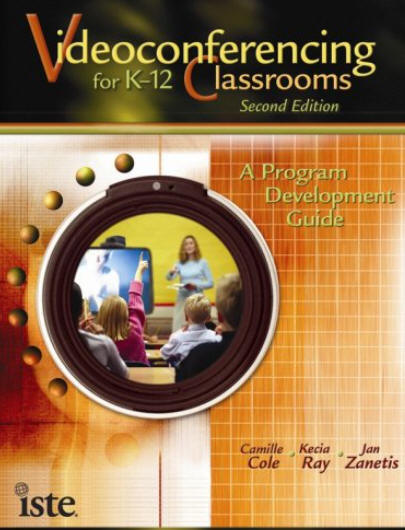 ISTE released
Chapter 3:
Getting Started with IVC (available on Yumpu.com) from its 2009 publication
Videoconferencing
for K-12 Classrooms, Second Edition: A Program Development Guide by
Camille Cole, Kecia Ray, and Jan Zanetis.
ISTE released
Chapter 3:
Getting Started with IVC (available on Yumpu.com) from its 2009 publication
Videoconferencing
for K-12 Classrooms, Second Edition: A Program Development Guide by
Camille Cole, Kecia Ray, and Jan Zanetis.
This chapter "will help you establish a certain baseline familiarity with IVC technologies, including facilities, equipment, staffing, and training required to work well in an educational setting. [The authors] outline what you need in order to send and receive content, access remote opportunities, and collaborate with colleagues across the miles" (p. 45).
Caution: If you are using videoconferencing in your classroom, be sure to check the security features of your selection and have a way to ensure privacy of students who wish it. You need to prevent uninvited guests. Have the selection vetted by your district's IT department.
Consider allowing students to have their cameras turned off to avoid capturing unintended content and to opt-out of interactive video calls.
Consider using passwords for participants to join your meeting, and do not post access information in publicly available places.
Participants who cannot attend will benefit from a on-demand playback feature, also helpful for learners to review.
If sharing content is a goal during your meeting, consider having only one person (i.e., the teacher) host the meeting who can control a "share screen" feature.
During a live session with students, ensure that students know the videoconference is being recorded.
Educators should know where and for how long their video will be stored, and who can gain access to it.
Tip: Use videoconferencing for interactions, and video for conveying information. A video can be viewed prior to the video conference (or at any time) to set the tone for the conference to follow. Be sure to provide a template with guiding statements to help students take notes and record their questions for discussion.
HOT! The Cybersecurity & Infrastructure Security Agency provides the following:
Class Collaborate (formerly Blackboard Collaborate) provides a safe virtual classroom experience. Per the website "Through interactive whiteboarding, chronological hand-raise notifications, extensive chat features, on-demand polls, moderated breakout groups and more, educators can encourage student collaboration in newly innovative ways."
FreeConferenceCall.com offers free video conferencing. Per the site, "Your account includes free video conferencing with up to 1,000 participants, supporting up to five simultaneous video feeds. Free recording of video and screen sharing is included."
Google Meet is ideal for classroom video meetings, as it has security features. It's also free for all. TechLearning posted 6 Tips forTeaching with Google Meet by Brian Nadel (2020, April 22).
Microsoft Teams includes a free version with multiple features: unlimited chat and search, online meetings and video calling, 10 GB of team file storage and 2 GB personal file storage per person, real time collaboration with Office apps for the web, and more. Information security is included.
YuJa for education enables interactive video conferencing, and includes a whiteboard, video sharing, desktop sharing, and lecture capture.
Zoom for video conferencing and web conferencing. The basic plan is free for personal meetings. Up to 100 participants can join a meeting. Other pricing options are available. Zoom includes how-to video tutorials for its features, and it includes a list of apps, including in the category for education, that can be used within Zoom. Other resources:
Russell Stannard provides Teacher Training Videos for Zoom at his site, a HOT resource.
Zoom also has an online whiteboard for collaboration, which is included with all Zoom accounts. It works with any device running Zoom.
In his Zoom blog post, Pat La Morte (2022, May 11) provided Zoom Whiteboard Tips for Teaching and Collaborating in the Classroom.
 If you involve students in creating multimedia elements, you need to consider
levels of difficulty and time for development. As one person, you most
likely will not have time to learn every piece of software you would like to
use. You might consider assigning groups of students to learn a specific
feature of the software to demonstrate to the class, and having those
knowledgeable students help others in the class to develop media. Arranged
in order (least to greatest), these difficulty levels include:
If you involve students in creating multimedia elements, you need to consider
levels of difficulty and time for development. As one person, you most
likely will not have time to learn every piece of software you would like to
use. You might consider assigning groups of students to learn a specific
feature of the software to demonstrate to the class, and having those
knowledgeable students help others in the class to develop media. Arranged
in order (least to greatest), these difficulty levels include:
The following resources include appropriate tutorials for creating and working with multimedia.
Adobe Creative Cloud Across the Curriculum: A Guide for Students and Teachers was written by Dr. Todd Taylor, Professor of English at the University of North Carolina Chapel Hill. This online step-by-step guide contains nine chapters. The first two chapters are devoted to getting started with digital tools and learning about Adobe Creative Cloud. Then each of the remaining chapters are devoted to specific media types. The guide will "help students create graphics, videos, reports, magazines, audio-visual projects, interactive web and mobile experiences, and more. You'll find complete learning modules, how-to videos, rubrics, and examples of student work to make it easy to integrate Creative Cloud into your curricula. Use the eTextbook in its entirety or select individual modules" (Online description, para. 2).
 Digital Hotcakes contains a number
of free video editing tutorials for Adobe Premier, Adobe Premier Pro, Final Cut
Pro, QuickTime Pro, Pinnacle Studio 9, PowerPoint, and Vegas Video.
Digital Hotcakes contains a number
of free video editing tutorials for Adobe Premier, Adobe Premier Pro, Final Cut
Pro, QuickTime Pro, Pinnacle Studio 9, PowerPoint, and Vegas Video.
GraphicsAcademy.com contains absolutely free tutorials on color, image design and capture, HTML and web design. A glossary of graphics terms and file formats are also provided.
HowStuffWorks: The Tech section provides answers to questions of interest regarding how various technologies work.
Internet4Classrooms contains tutorials for several applications commonly used in K-12, including authoring. Examples include PowerPoint, Hyperstudio, Word, Excel, Dreamweaver, Claris Home Page, Inspiration and Kidspiration.
Learninginhand: Podcasting by Tony Vincent has numerous resources for handhelds in education. He presents details for learning to create podcasts: preproduction, recording, postproduction, and publishing. You can also find existing podcasts, subscribe to them, or listen to podcasts. Of relevance are his links showing how students, even at elementary school levels, are creating podcasts.
PowerPoint in the Classroom has tutorials for working with PowerPoint; a teacher guide is also available.
Video Creation & Tools is a great collection of resources for the how-to's of creating videos and ideas for their use in the classroom, gathered by Shelly Terrell.
Video 101 by Prof. M. Trinklein of Idaho State University is a complete video production course. Complete content is online regarding editing, video recording, camera operation, shot composition, the lens, sound, lighting, camera mounts, the TV camera, and TV graphics. This site was honored by the Broadcast Education Association.
Web Site Estates has free Power Point templates for students and educators, plus tips and tutorials.
WhatIs.Com "is a reference and self-education tool about information technology. The site provides readers with definitions for over 10,000 terms and over 1,000 fast references, cheat sheets and quizzes" (About section). Use the A-Z dictionary to search for terms, such as multimedia, graphics.
Here are some of the many ideas suggested by Bob Sprankle.
Source: Sprankle, B. (2008, April). Caught on video. Technology & Learning, 28(9), 29-32. https://www.techlearning.com/news/caught-on-video
Creative Commons contains databases of audio, video, image, text, and educational materials that have terms of use already designated, which eliminates seeking permission to use copyrighted material.
Educator Clips includes a range of free clip art for use at teacher sites and in classroom projects.
FreeImages is a great resource for free photos, illustrations, vector graphics, icons, templates and more on just about any topic. If you use any images, remember to contact the artist using the e-mail address found on the artists page. Free stock images at this site are from photographers all over the world.
The Freesound Project is a collaborative database of Creative Commons licensed sounds (not songs and compositions): audio snippets, samples, recordings, bleeps, field recordings, and so on. Some sounds can be used for scientific research.
Kathy Schrock's Blog includes Web and AI Online Tools for Creating with an extensive collection of resources for teaching, learning, and creating media.
Pixabay provides "copyright free images and videos. All contents are released under Creative Commons CC0, which makes them safe to use without asking for permission or giving credit to the artist - even for commercial purposes" per its description. However, you should be aware of the policy: Public Domain Images - What is allowed and what is not.
SnapFiles contains an extensive collection of freeware and shareware in multiple categories, such as graphics and photo editing; multimedia, audio, and video; web publishing and design; productivity and office; educational tools; and much more.
Unsplash for Education contains over 1 million free images on numerous topics in categories such as art, maths and science, technology, history, geography, space, politics and current events, health.
Back to top | Part 4: Multimedia in Projects: Page 1 | 2 | 3
Nagel, D. (2007a, January 18). Open-source schools: Got data? THE Journal. https://thejournal.com/articles/2007/01/18/opensource-schools-got-data_633573844165627942.aspx
Nagel, D. (2007b, May 9). Know your NLE's. THE Journal. https://thejournal.com/articles/2007/05/09/know-your-nles.aspx
 See
other Technology Integration pages:
See
other Technology Integration pages:
Part 4: Multimedia in Projects: Page 1 | 2 | 3
Part 1: Essential Questions | Part 2: Technology Integration Resources | Part 3: Web Page Design

Are you finding resources at CT4ME of value? Contact CT4ME
Recommend this site to your friends and colleagues. Link to CT4ME, too.
To cite this page, use the following format:
Deubel, P. (year from last revised). Technology integration: Multimedia in projects: Tools for creating and viewing media. Computing Technology for Math Excellence. Retrieved Month, Day, Year, from https://www.ct4me.net/multimedia_in_projects_2.htm
CT4ME Author: Dr. Patricia Deubel
Copyright © 2001-2026 [CT4ME.net]. All rights reserved.